Free writer tools
Use free planning, revision, and word tools outside the editor.
1. One question at a time
The free writer tools answer planning and revision questions before you open Tabularia, and none of them needs an account. Start with your current question.
File and pasted-text analysis runs on your device. Calculator plans can be saved in bookmarked addresses. A tool changes a project only when you explicitly continue into Tabularia.
2. Plan
- Story Structure Calculator
-
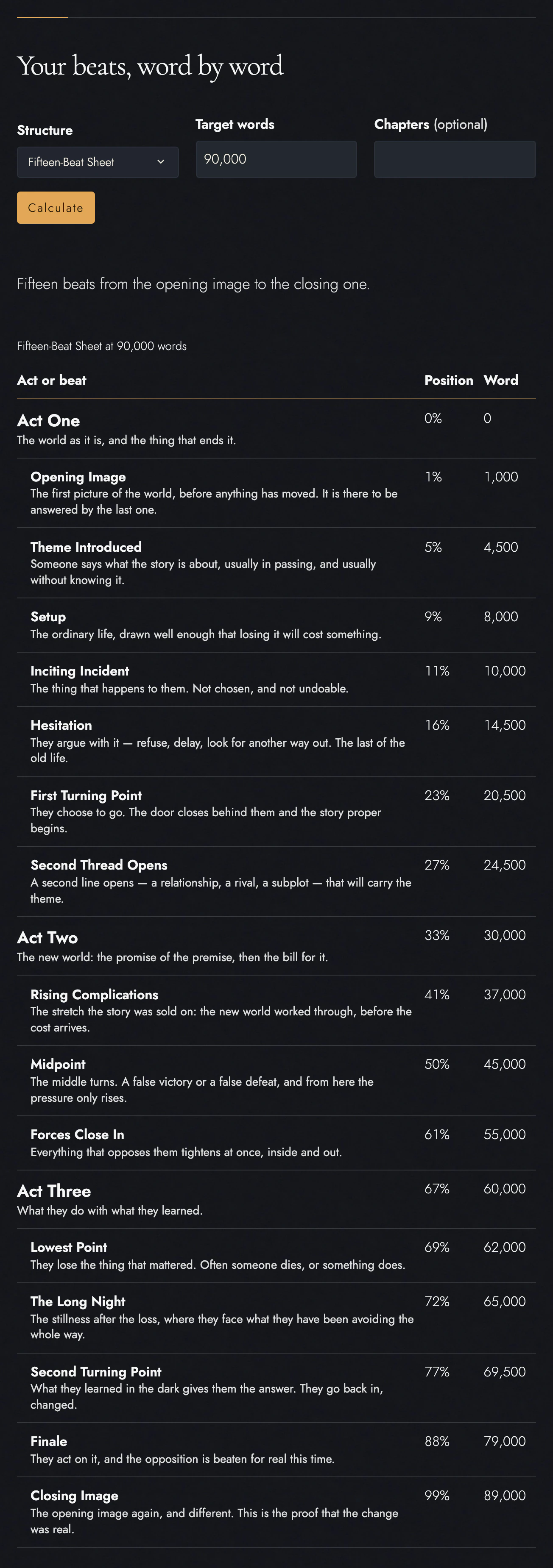
Choose a structure and target word count. Add a Chapter count to see approximate Chapter positions as well as each beat’s share and word mark.
Open this outline in Tabularia carries the shape and goal into the New Project dialog. Name the book and create it there; using the calculator alone creates nothing.
- Novel Length Checker
-
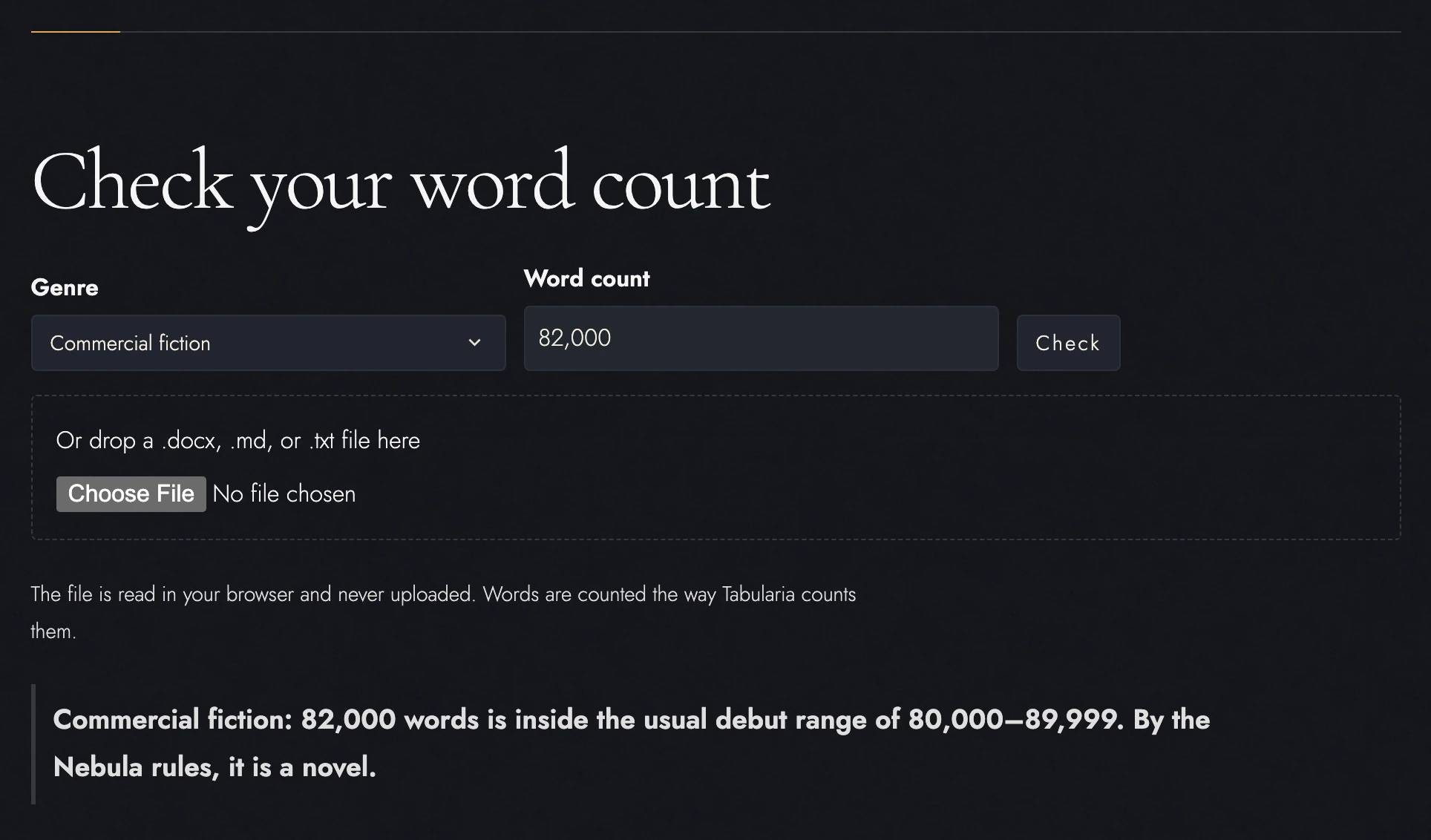
Enter a word count or drop a manuscript file, then choose its genre. The comparison uses the usual range for that market.
Treat the range as context. It cannot decide whether your manuscript should be cut or whether a publisher will accept it.
- Writing Pace Calculator
-
Choose the question first. Words a day by a deadline finds a daily target; Finish date at a daily pace calculates when you will finish at a pace you can keep. Set your dates, counts, and writing weekdays.
Set these goals in Tabularia carries the daily and total targets into Tabularia. If you are signed out, it leads through sign-up with that destination preserved. The calculator needs no account.
3. Draft
- Reading Time Estimator
-
Enter the count, paste prose, or drop a manuscript file. Compare the silent-reading estimate with the aloud estimate, using the rates explained on the page.
A performance, a difficult passage, or a young reader may take longer. The estimate is a planning figure rather than a timed reading of your work.
- Thesaurus for Writers
-
Check the sense first. Look up the word and compare the meanings before choosing a synonym. Usage and register labels help distinguish an ordinary alternative from slang or an archaic word.
Browse the collections below by subject. Lookups are cached locally. A word you have not looked up before can still need a connection.
4. Revise
- Chapter Length Analyzer
-
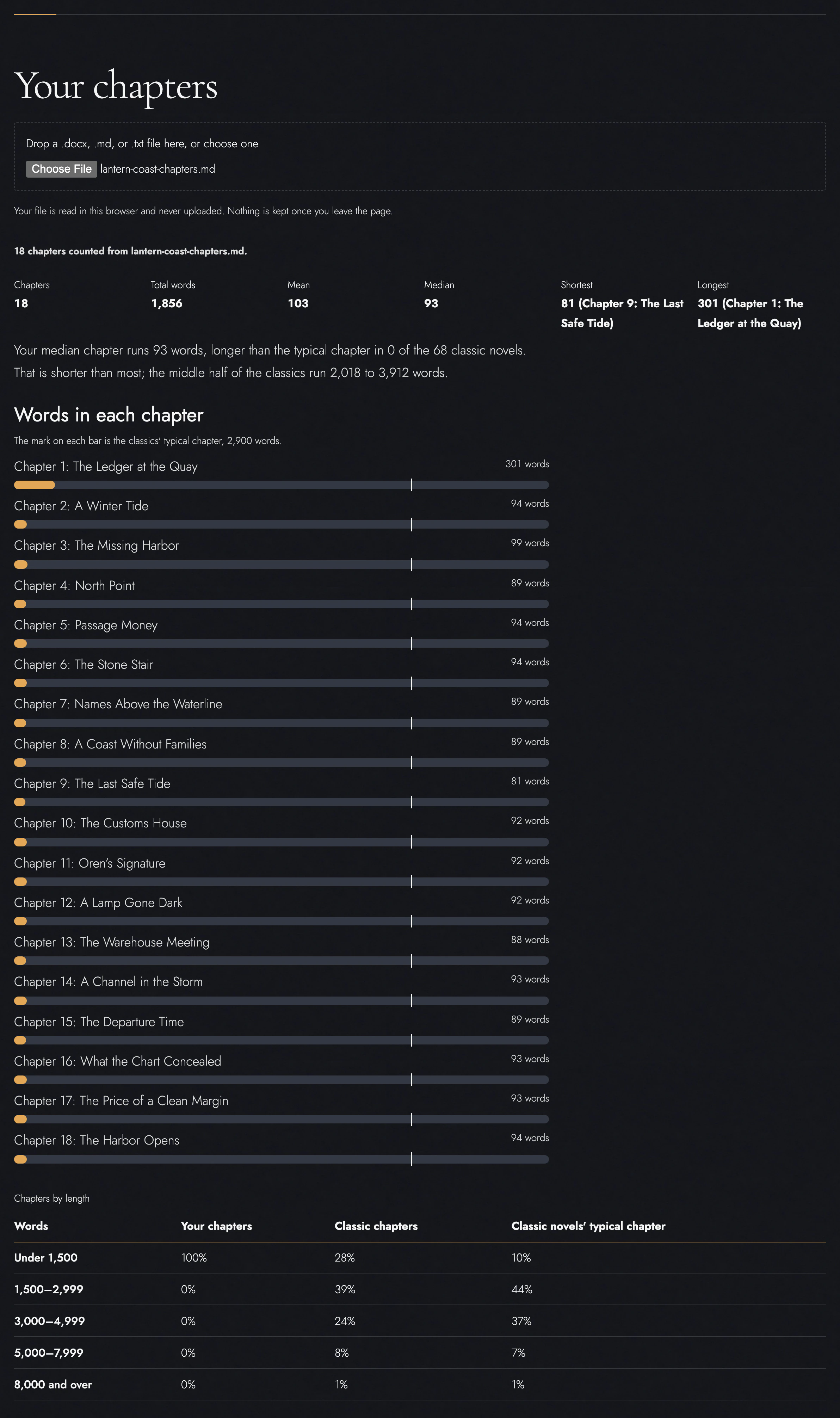
Drop a manuscript file with recognizable Chapters. Read the word counts and distribution beside the supplied comparison of classic novels.
Check the source headings first, since the analyzer can only count Chapters it recognizes. A wide spread of lengths gives you something to investigate without requiring every Chapter to be equal.
- Filter Word Finder
-
Paste prose or drop a manuscript file. Read the highlighted filter words, crutches, and repetitions in their sentences. Your own words to flag adds terms you want to watch.
A match is a prompt to reread. Keep a necessary word. Read its passage before deciding whether a revision would bring the reader closer.
5. Publish
- Manuscript Formatter
-
Choose a DOCX, Markdown, or plain-text manuscript. The tool prepares a Word file with a submission title page, running header, and double-spaced prose.
Check the submission instructions. The downloaded file is a standard manuscript copy, ready for a word processor rather than a paperback press.
- Words to Pages Calculator
-
Enter the word count and choose the trim, font, and type size. Read the estimated page count alongside the assumptions that produced it.
For the real page count, typeset the book in Tabularia: illustrations, matter pages, and short Chapter endings all move it.
- EPUB Checker
-
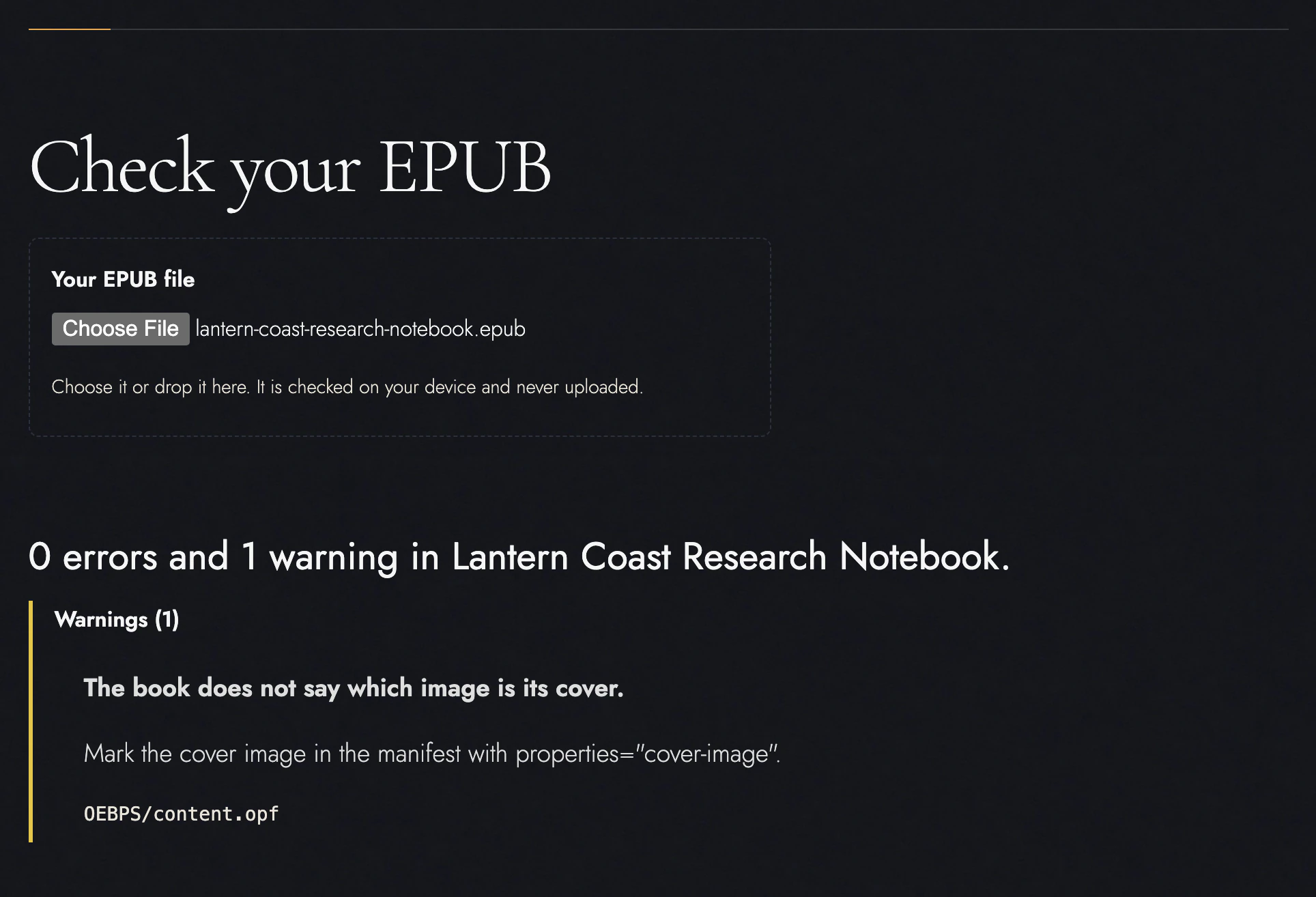
Select or drop an EPUB. Check the reported package and metadata issues, then follow the findings on navigation, links, and media. Each explanation helps locate a repair in the source.
The file stays local. The checks are useful before submission, but they are not the complete validation EPUBCheck performs.
6. Ideas
- Character Name Generator
-
For real names, choose the available country or region and birth decade. Frequency shows how common it was.
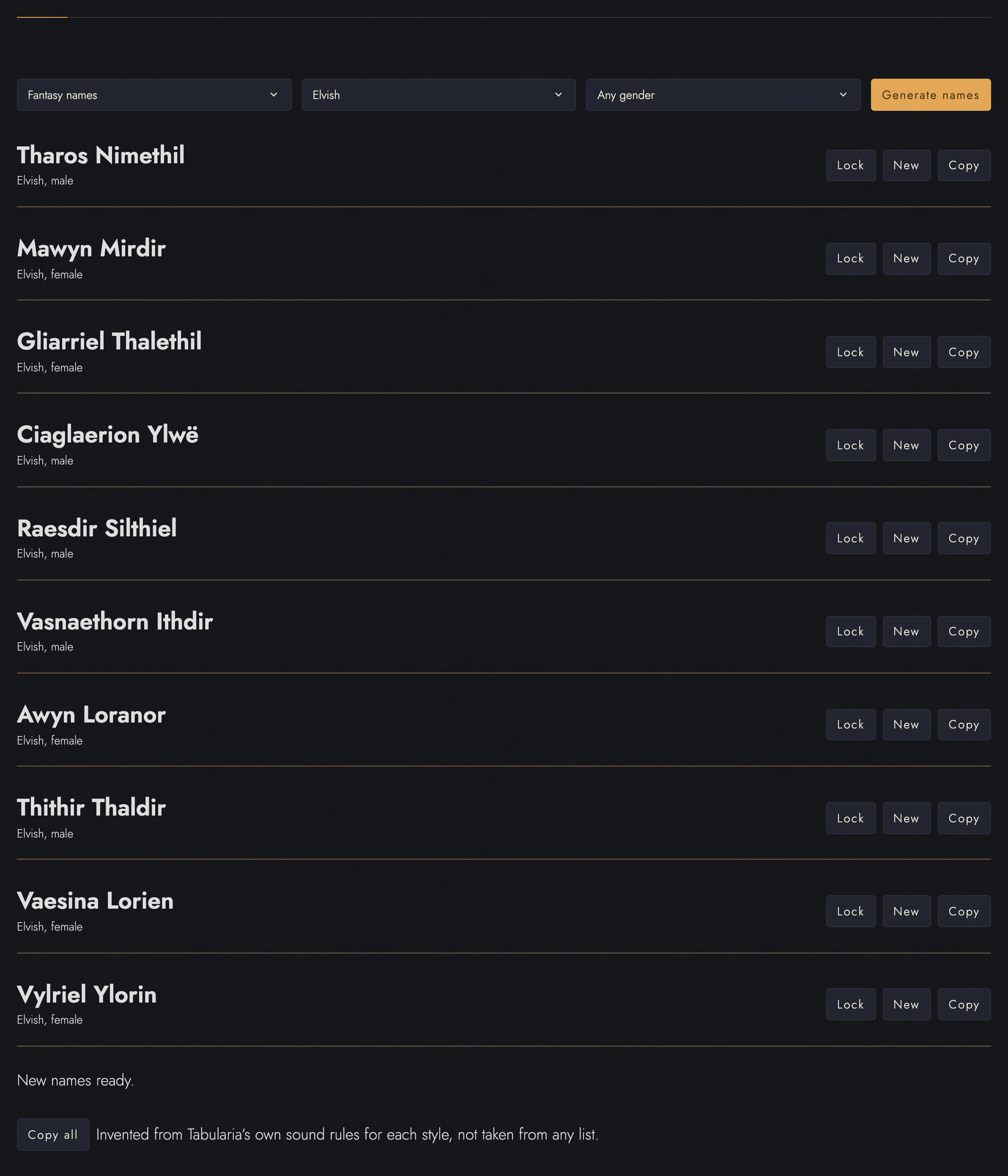
The French page uses its own historical data. The fantasy page instead offers invented styles; lock a candidate you want to keep while generating more, or copy it.
- Writing Prompts
-
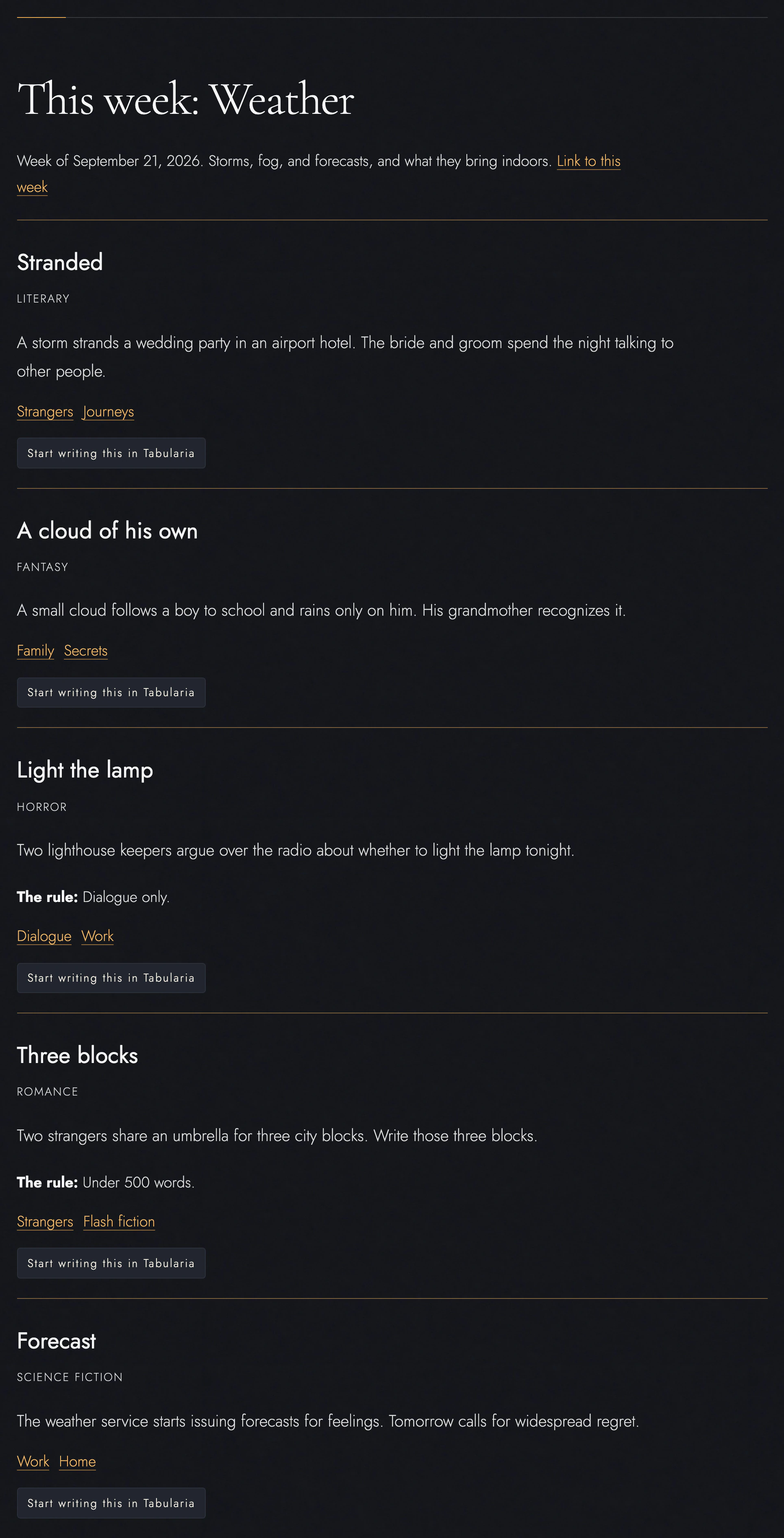
Start with this week’s five prompts. Choose a random prompt or browse earlier weeks and genre tags in the archive, then write from the one that catches your attention.
No account is needed to read them. Start writing this in Tabularia opens the New Project dialog titled for the prompt, and the project it makes keeps the prompt in a Sheet called Writing prompt, beside your manuscript rather than in it.
7. Beat sheets and a November target
The Beat Sheet Calculator starts the structure calculator on the Fifteen-Beat Sheet. Change its length or Chapter count, then use Start a Book on these beats when the plan is ready.
Enter a November goal, current word count, and date in the November Novel Calculator. It shows progress and the daily pace needed to finish.
These are also available directly from their addresses. They use the same planning principles as the general structure and pace tools, with a starting choice suited to the specific task.
8. Going further with names and words
- French names by birth decade.
- Fantasy names from invented styles.
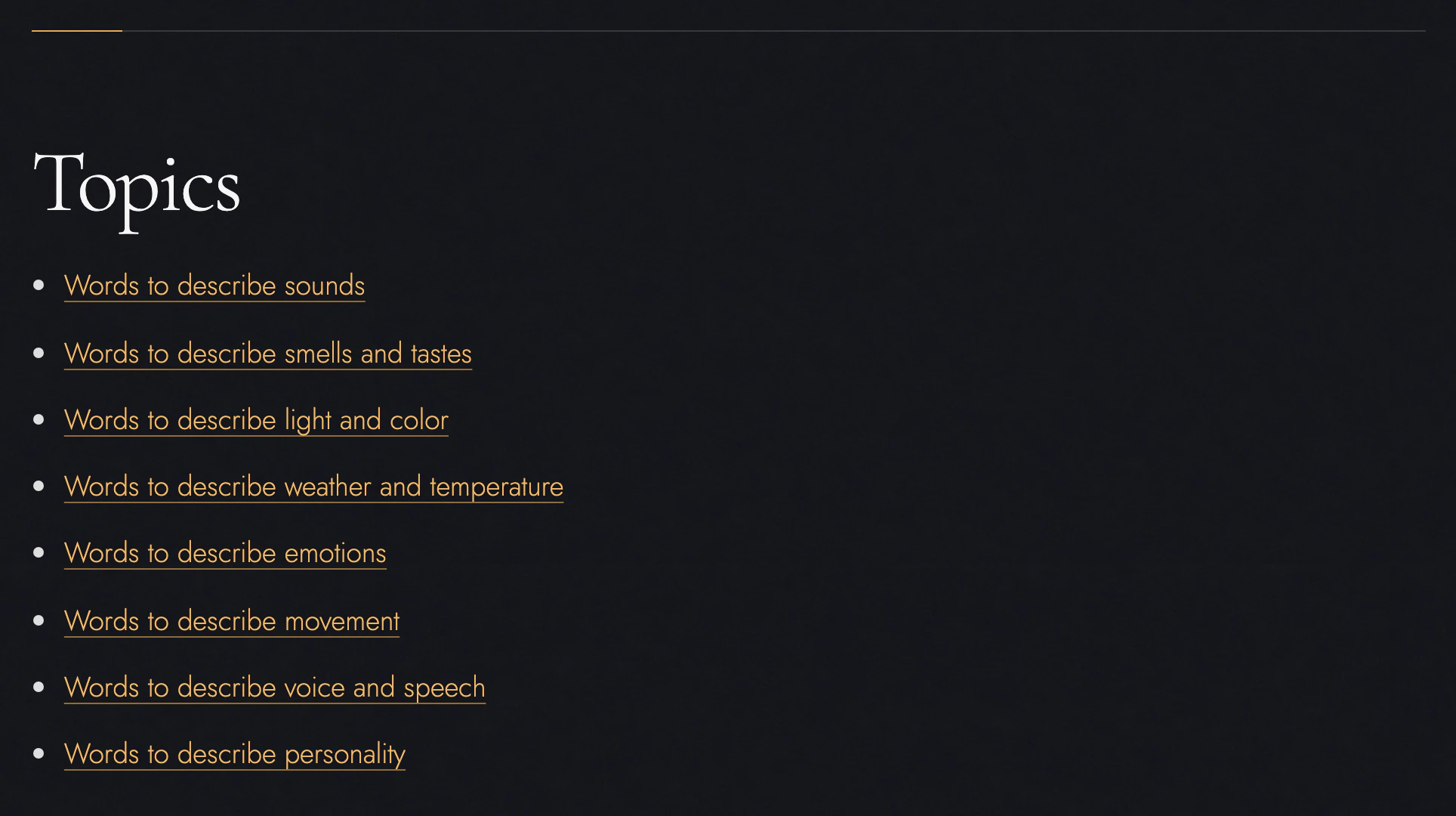
- Words to describe a subject or trait.
- Idioms and proverbs.
- Slang and jargon collections.
- Writing prompt archives by week and genre.
Inside Tabularia, Synonyms can replace a selected word in place. The public thesaurus is for browsing alternatives before deciding which one belongs in the sentence.
9. Taking the next step into Tabularia
A button that continues into Tabularia opens it directly when you are signed in. Otherwise it leads through sign-up and brings you back to the same place afterward.
Continuing into Tabularia does not upload an analyzed file or copy pasted text into a new project.
10. Downloadable writing templates
The Templates library pairs structures and outlines with worked examples. Each page offers Download for Word and Print or save a PDF, so you can plan on paper or in a word processor.
Open this template in Tabularia opens the New Project dialog on a book template’s shape and length; a script or article template opens Tabularia, and its page names the starter and shape to choose. Neither copies the article’s worked example into your writing. See Using a downloaded template.
11. Continue reading
- Previous: Images and Book Decorations
- Next: Working with Drafts
- All guide articles
Try it on your own book
Start a free evaluation. No card needed.