Write and revise your book in one connected manuscript.

Plan, write, revise, and typeset your book in one place, from a single novel to a whole series. Timelines and story threads stay linked to the manuscript, alternate drafts merge back a change at a time, and every page is set like a finished book as you write. It stays fast even at series length.

Local plan $199 once · Cloud plan $18/month

The Local plan is yours to keep and works offline. The Cloud plan adds backup, sync, and sharing.

Keep the book connected

A book can take years. Its chapters, research, versions, and decisions should still feel like one work.

See the page and the whole book at once.

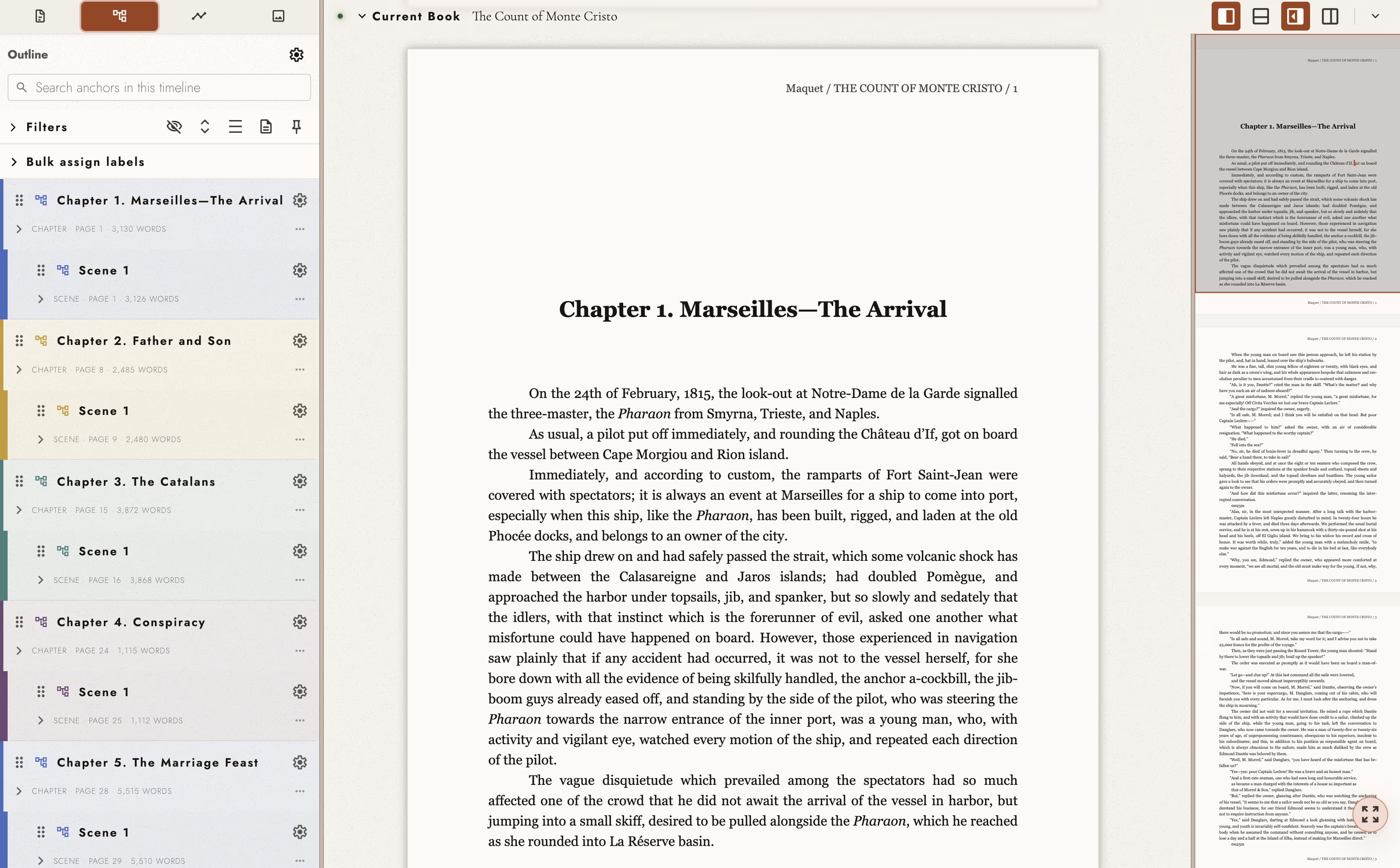
Write close up while the outline and minimap keep the manuscript around you navigable.

Tabularia Studio showing a book manuscript with its chapter outline and page minimap visible

“Tabularia is ahead of the other writing and formatting tools I’ve used. I love how it organizes a novel into scenes and chapters.”

Matt Wright Author of the Sun Maker series Read his books

How Tabularia works

A project holds one continuous manuscript with one or more ordered books, keeping its words, structure, and revision history connected.

Most writing software divides a book into pieces and gives an author a way to manage the pieces: a folder of documents, a board of scene cards, a plot grid, a wiki of lore. At the end of the work, everything then has to be put together in a large compile and formatting step. Those representations are useful, but when they're disjointed they become a second description of the work that has to be kept in step with it by hand. Tabularia takes a new approach. The manuscript is one continuous typeset composition, already formatted as you work, and the outline, minimap, search, and working scope all move through that single composition rather than through a file tree.

Working on one part of it does not mean opening up a separate document. The Working Scope narrows the page, the search, and the word count to the book, chapter, or scene you are currently working in, or to a story or character thread within it that you've pinned: one of your timelines, or the outline as your filters have set it. Widen the scope again and the whole book is back in view.

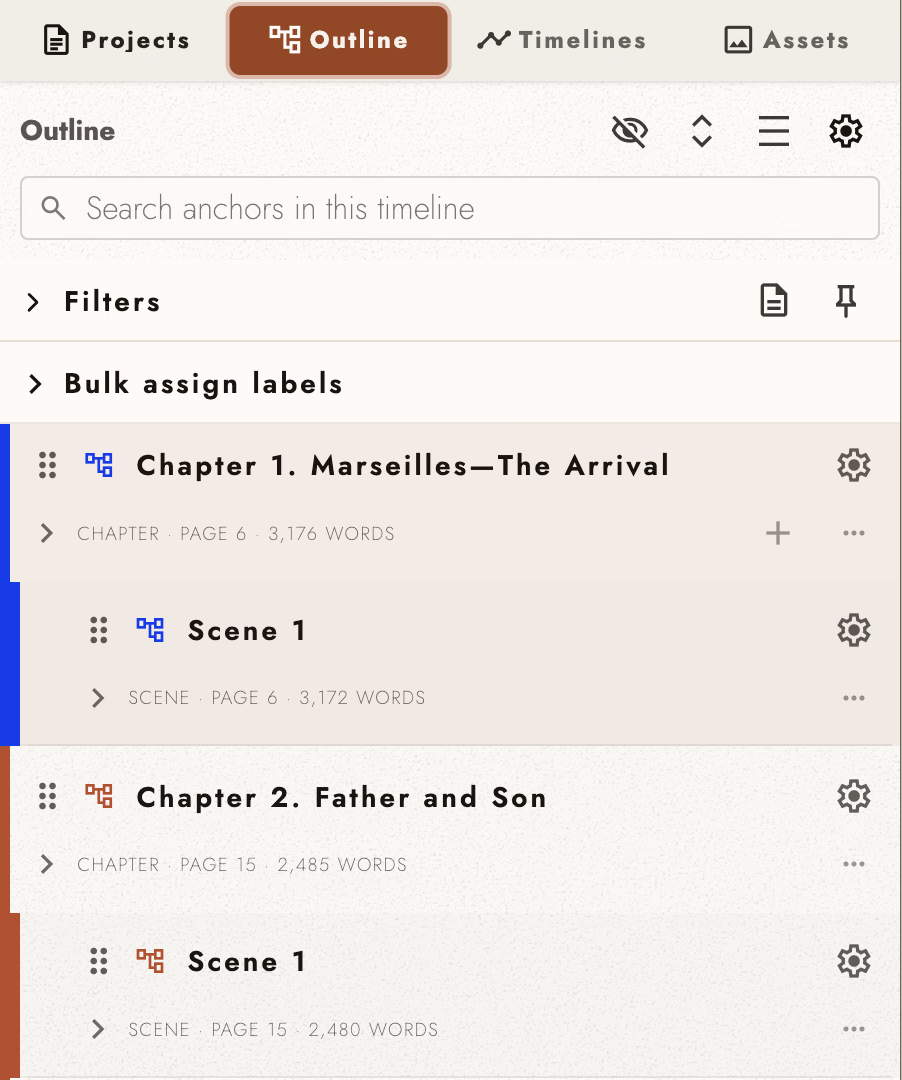
Outline showing two chapters of The Count of Monte Cristo with nested scenes and the first chapter selected

Follow the thread back to the words

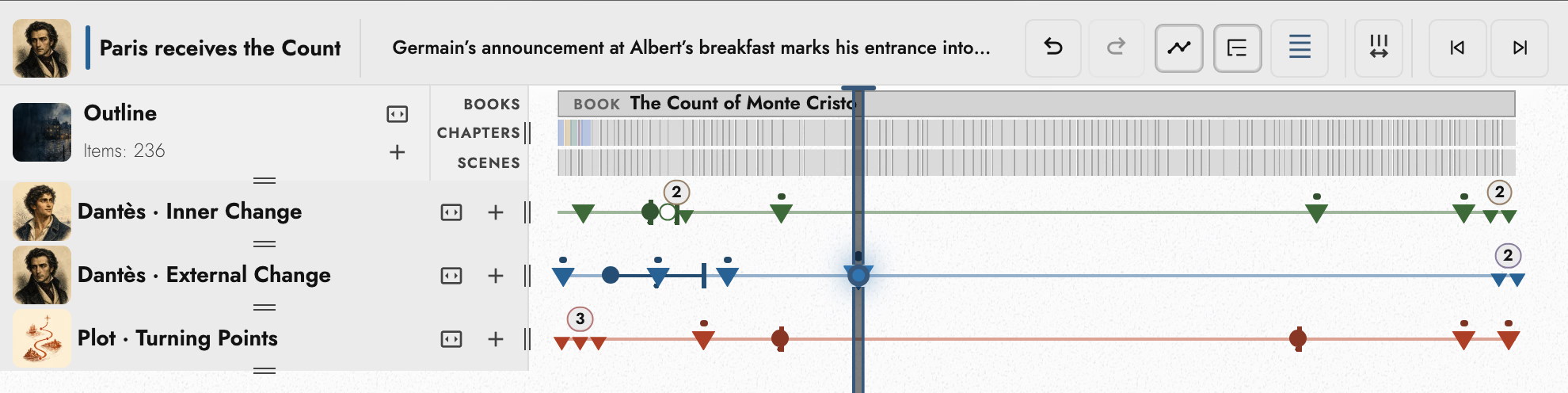
What runs through it are threads. A character’s inner change, a plot line, a promise made in an early chapter that has to be paid off much later, or an image that recurs: each is a timeline whose markers are anchored to the passages that carry it. Following a thread lands you on the words you needs to edit rather than on a card describing them, and rewriting the passage cannot put the two out of step, because every marker links directly to the prose.

Timeline Drawer with custom timeline lanes for character arcs and plot, each marker anchored to a passage, and the selected marker's comment in the header

Try the change before you commit to it

A book is rewritten many times, and how do you, as an author, manage each draft? Before long, maintaining a new document on your hard drive or cloud account for every revision becomes unfeasible. How do you search through them and compare them? What if you only want to revise a single chapter, scene, or paragraph?

Notes and plot grids can't handle this well if they're not close to the text.

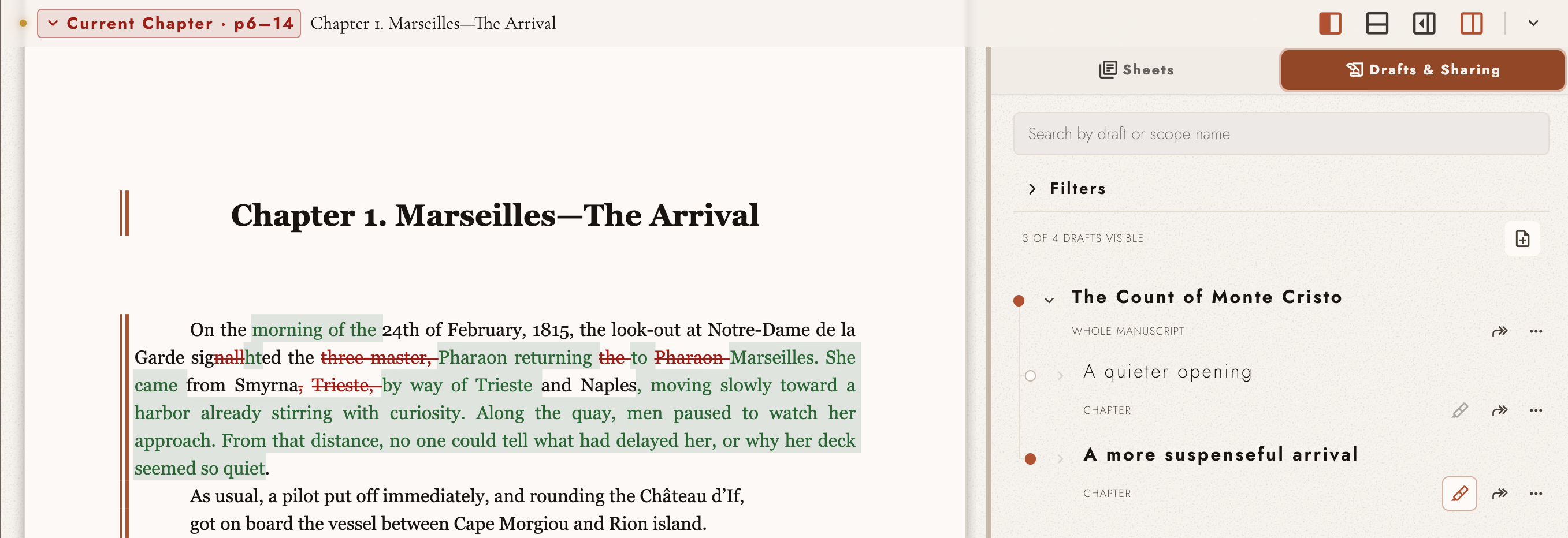
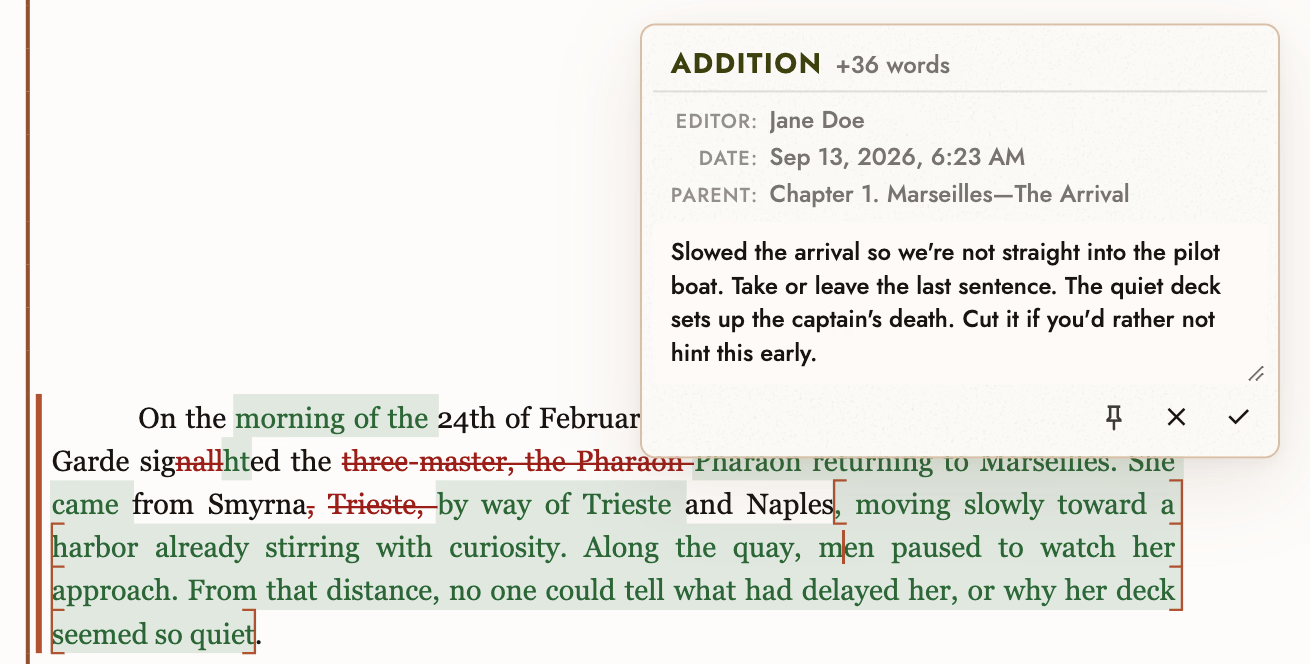
With Tabularia, drafts can be captured at any scope of your manuscript, turned on and off immediately in place, and markup shows the two readings diffed against each other. Merging is allowed to happen only once you need it, with the surrounding writing still in view.

A consequential change becomes something an author can experiment with rather than being forced into committing to immediately. An invited collaborator works in a draft of their own and returns it as a redline you accept or reject a difference at a time or all at once, and taking a snapshot means going back to an earlier revision never costs you what came after.

A manuscript chapter beside two alternative drafts, with the active revision visible in the page A proposed addition marked in green over a struck-through sentence, with the note beside it explaining the change and the control to accept it

A book from the first sentence

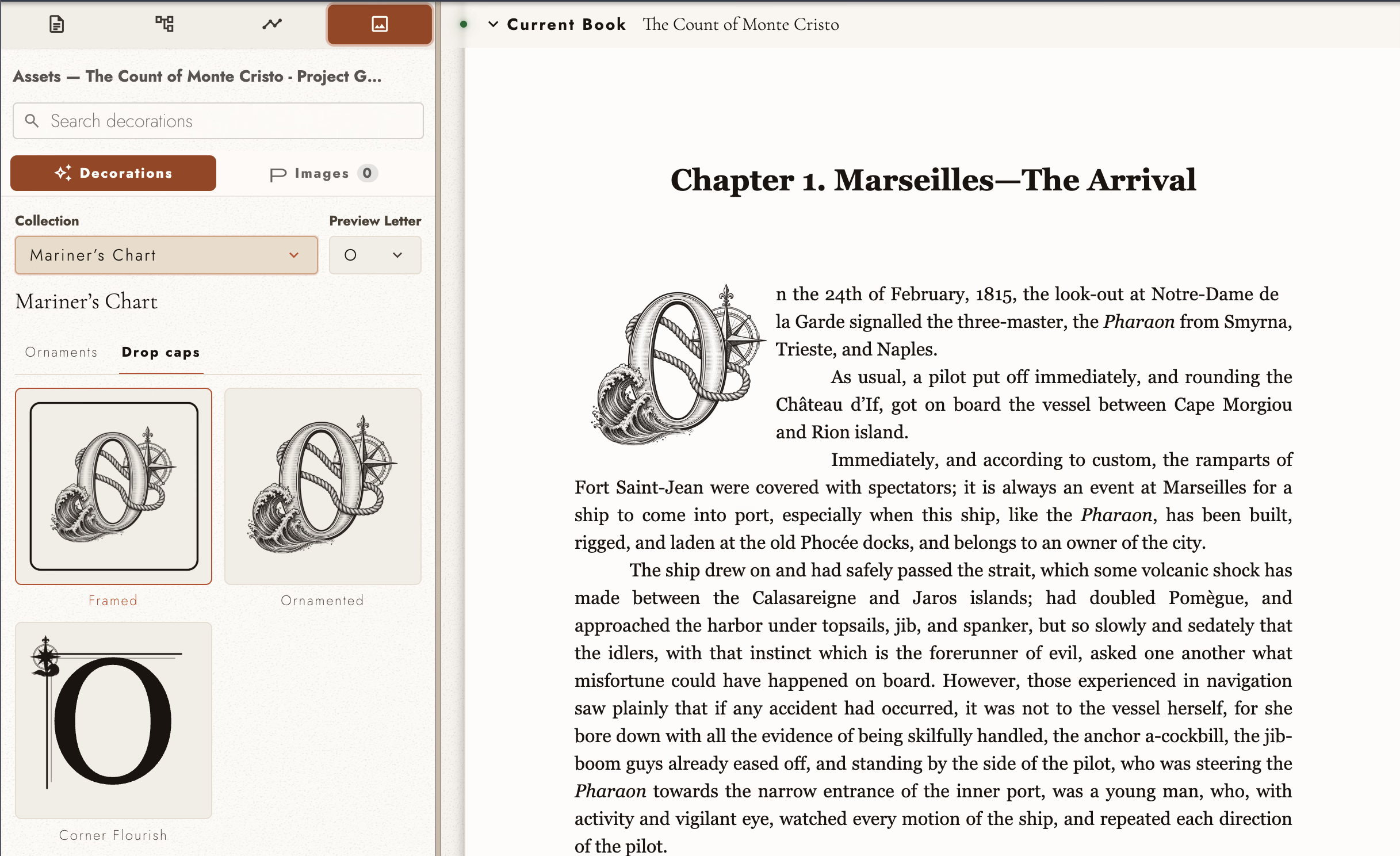
Most writing software asks you to type now and format later, so the book does not exist until you assemble it at the end. Tabularia sets the page as a book from the first sentence: illustrated drop caps, matching ornaments, scene-break flourishes, folios that follow each book’s own numbering, and front and back matter belonging to the books that holds them. There is no assembly step between the draft and the formatted book, because what you are editing already is the final book.

Illustrated drop-cap and ornament choices beside a typeset page of The Count of Monte Cristo

Why a book needs one connected manuscript

A common frustration with authors is figuring out how to maintain focus on their craft. A separate outline can drift out of step with the draft, and changing a late chapter turns into an effort to remember what an early one promised. The software needs to be fast and responsive, and it needs to keep your work connected so that you don't lose your place.

Tabularia is built to meet that need. It is particularly useful when an author wants to move through a complete manuscript without maintaining a separate file for every chapter or scene and wants to stay focused on the story and the prose.

It suits a series, too: adding a second book puts each volume in order inside one manuscript, with search, the outline, timelines, and anchors reaching across all of them while each book keeps its own front and back matter and page numbering.

Import, review, and collaborate

Start with the writing you have, or a blank page, and keep the work connected through drafting, revision, and publication.

01

Bring the book you have, or begin it here.

Import an existing manuscript, bring in a project from another writing app, or start on a blank page. Then keep its books, chapters, and scenes together in one continuous composition. Tabularia supports all major writing formats.

02

Follow the threads that matter.

Connect a character arc, argument, promise, source, or recurring idea to the passages that carry it, then move from the larger thread back to the words.

03

Try the revision before choosing it.

Create another version of a passage, chapter, or the whole manuscript. Compare it with the current draft and merge back only the changes you want.

04

Review changes where they belong.

Read a collaborator’s changes and comments beside the passage they concern. Accept or reject each change with the surrounding writing still in view.

Finish the manuscript. Choose where it goes next.

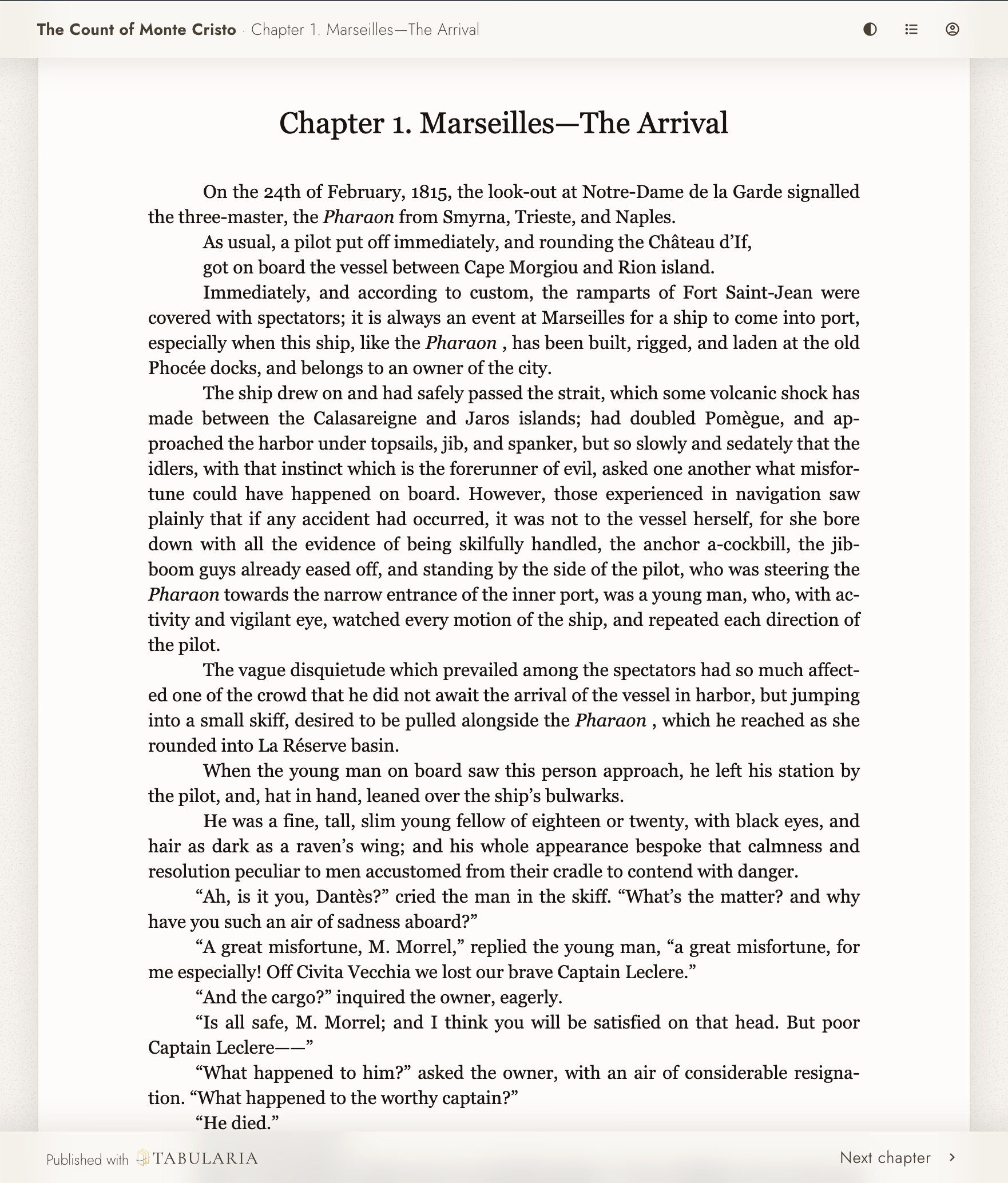
Send the finished work to an editor or publisher, preserve it in your preferred format, or publish a reader-ready web edition with a Cloud subscription. Your writing is never locked in. Even after an evaluation ends, you can take it out as a complete project archive or in any format except PDF and EPUB. Use Tabularia because you love working in it.

A published Tabularia reader page for The Count of Monte Cristo with chapter navigation and reading controls