Find the turn that makes the scene work.
An understudy gets one night in the lead. Follow Morgan Vale through The Second Cast, a fictional short screenplay written for this demo.
See how one scene leads into the next.
The Second Cast follows an understudy through her first night in the lead. It opens in a dressing room half an hour before curtain, where the star sits with a scarf at her throat and a story about her voice.
Import the script. Scene headings become rows in the outline, and action, parentheticals, and dialogue keep their screenplay roles on the page. Morgan can go straight to the prompt desk and hear the places call.
Import a Fountain screenplay
Track one character’s thread, scene by scene.
Nell’s nerve fails before it holds. Morgan follows it on a timeline of its own, with an anchor on the line in each scene where it moves, from her shaking hands at the mirror to the line she finds on stage without help.
Select an anchor and the page goes to its line. The stage door has no anchor, because by then the thread has done its work. A scene without one is sometimes the point and sometimes a problem.
Timelines in the Guide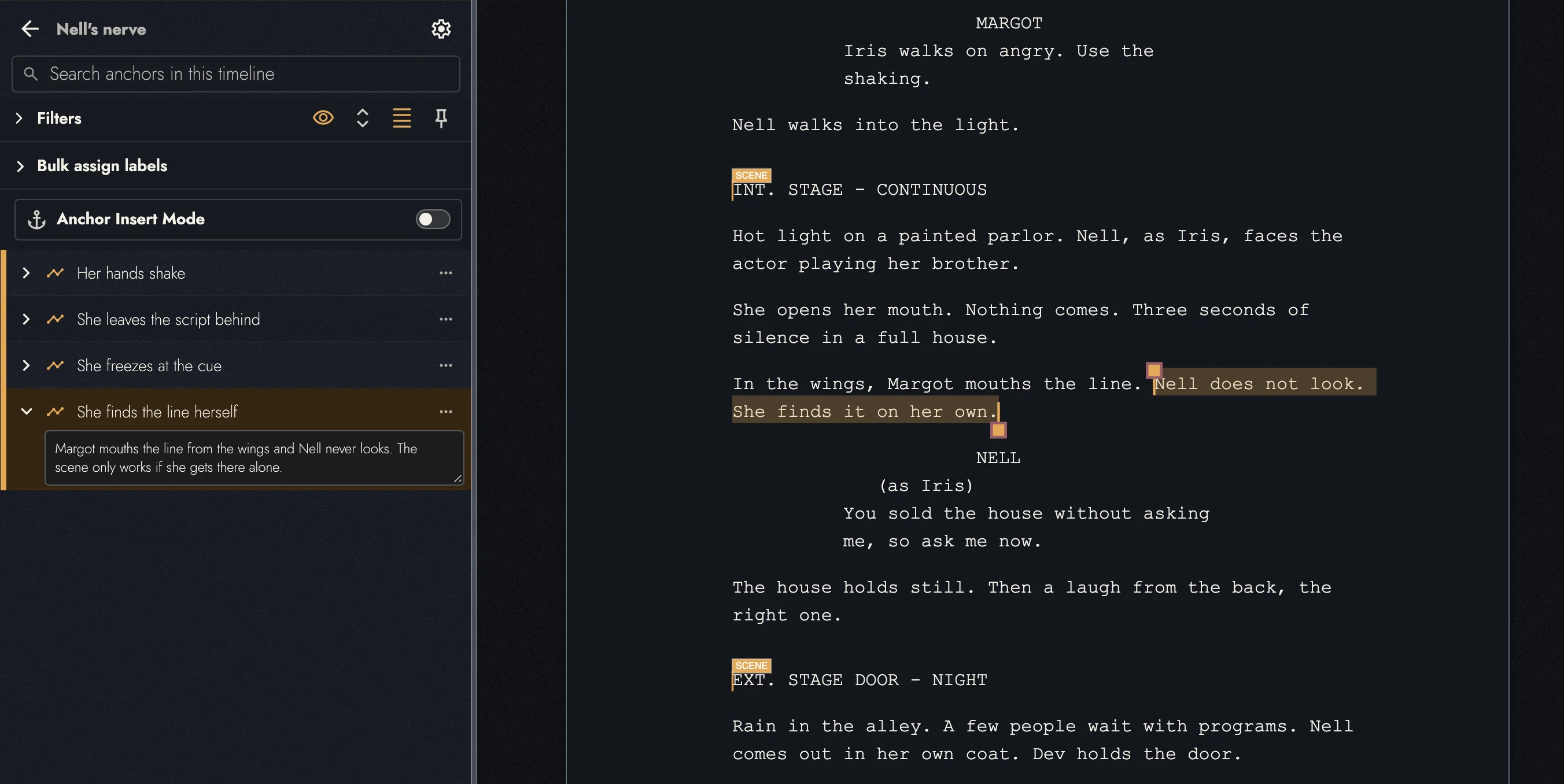
Keep the cast list where you write.
Each speaking part has a Sheet, listed with the names people call them. A search for “the cover” still finds Nell, and “Miss Vance” finds Margot.
Open Nell’s for the rest. Morgan’s note there says she never looks at the wings once she is on.
Sheets in the Guide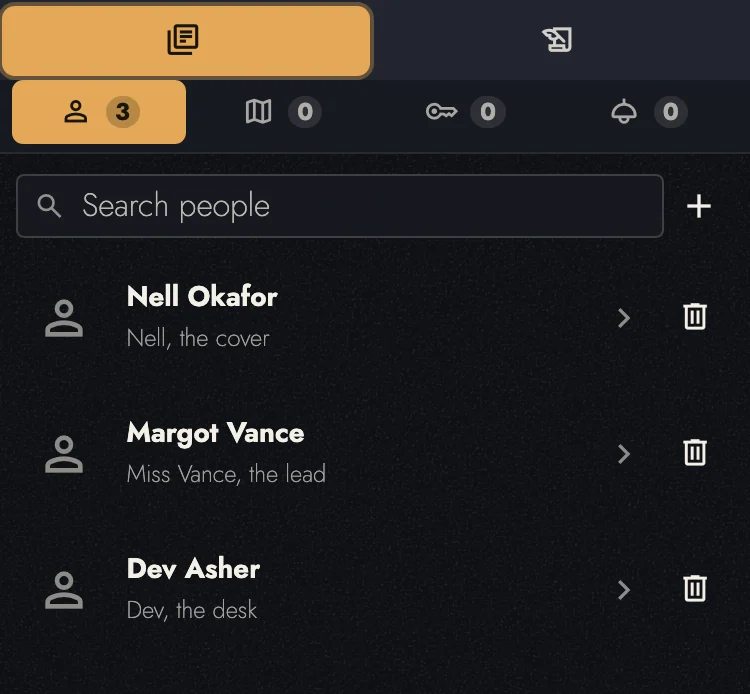
Try a different turn in the dialogue.
Why does Margot step aside on opening night? Her reply in the script keeps the illness story going. One more sentence would tell Nell, and the audience, that the part is a gift.
Try the longer reply. Morgan narrows the working scope to the dressing room and captures a draft of it, so the experiment can be switched on in place and compared before either version is merged.
Try a scoped draft
Keep the question beside the line it changes.
Turn on Markup for the dressing room draft and the added sentence shows as a change against the script. Morgan opens that change and writes the doubt on it, asking whether Margot gives herself away too early.
The note stays with the change until it is merged or dropped. An Editor’s comments arrive the same way, each on the passage it concerns rather than in an email that quotes it.
Comments in the Guide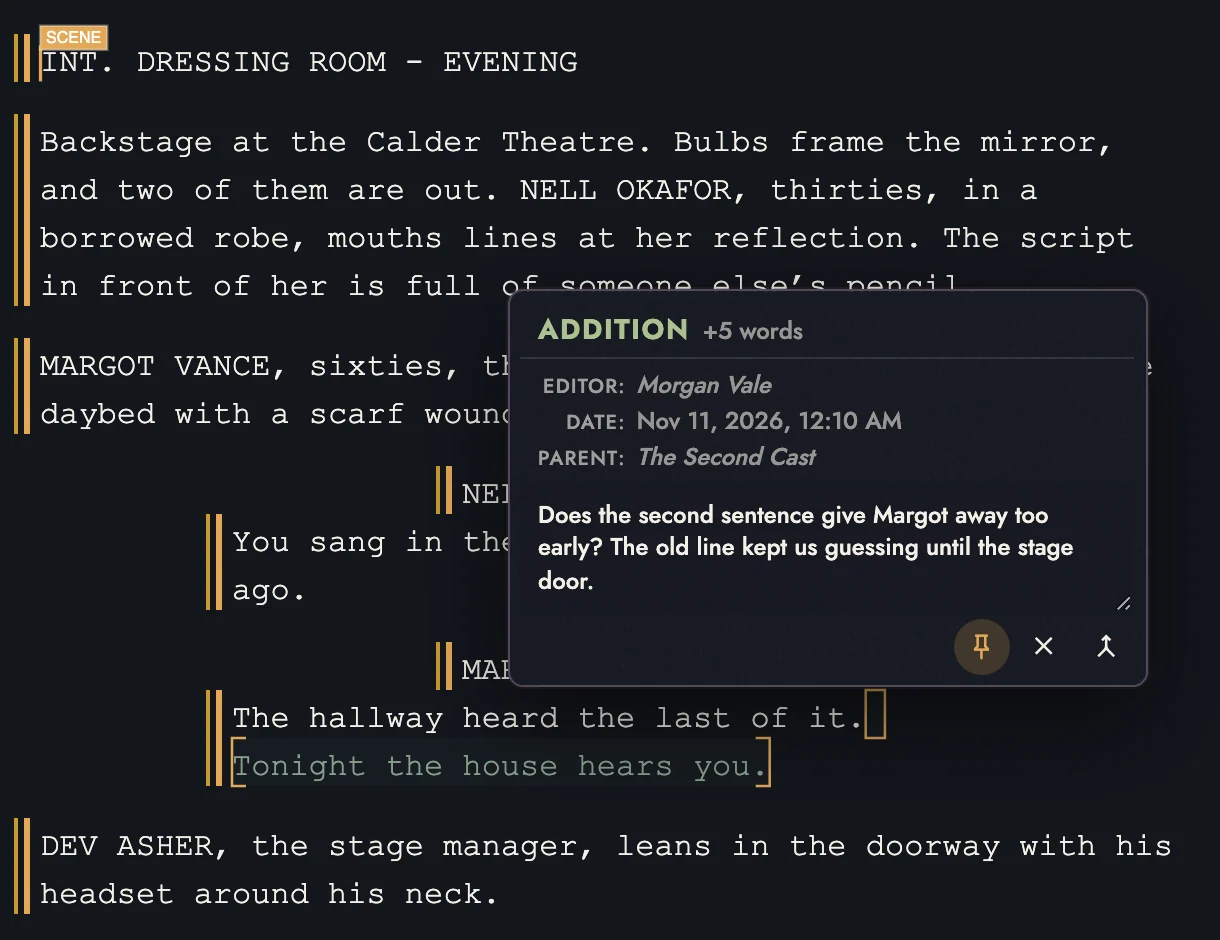
Take the script to its next reader.
A collaborator may be working in another screenplay app. Fountain export gives Morgan a portable script that keeps its scene headings and character cues.
The title page goes with it. Export the script when it is ready for a table read, and keep revising the project in Tabularia.
Export a screenplay
Bring your own work to the page.
Start a project or import a manuscript you already have. The Guide is there when you need the steps for a particular task.
Take another tour.
- Overview → One revision of a novel series, from draft to reading edition.
- Novels → Timelines for every thread, story structures, and alternative openings.
- Nonfiction → An argument built chapter by chapter, with its sources kept attached.
- Articles → An essay from the article starter to a second try at its lede.
- Series → Several books in one manuscript, each with its own matter.
- Editors → A review from the Editor’s side, then back to the author.
- Switching apps → Bringing a Scrivener project across, structure and all.