Three books, one manuscript.
The Lantern Coast is a fictional three-book series. Follow Morgan Vale as the second volume grows beside the first.
Keep every volume in one manuscript.
The Lantern Coast is three books long. They sit in order in a single manuscript, and the outline lists each book with its acts, chapters, and scenes. Filter out the acts and the first two volumes read as one plan, chapter by chapter.
Add the next volume when you start it. Nothing about the first two has to move.
Books in a manuscript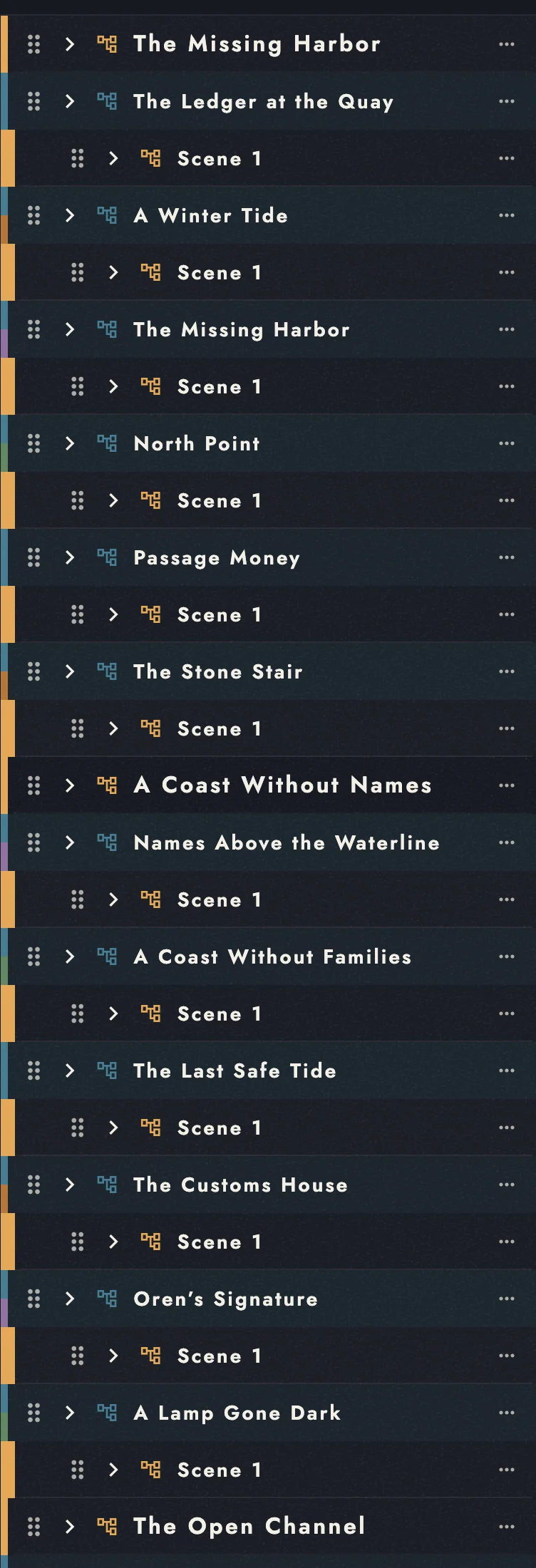
Write one book without the others in the way.
Working scope narrows the page to a single book. The word count, the minimap, and search follow it, so the second volume’s total is the second volume’s alone.
Widen the scope to the whole series when you need to check what the first book promised.
Working scope in the Guide
Find a name in every volume at once.
Did the harbor master have a first name in book one? Search the whole manuscript and step through every match, from the first volume to the last, without opening three files.
Replace works on the same matches, which is how a renamed ship stays renamed in every volume.
Search in the Guide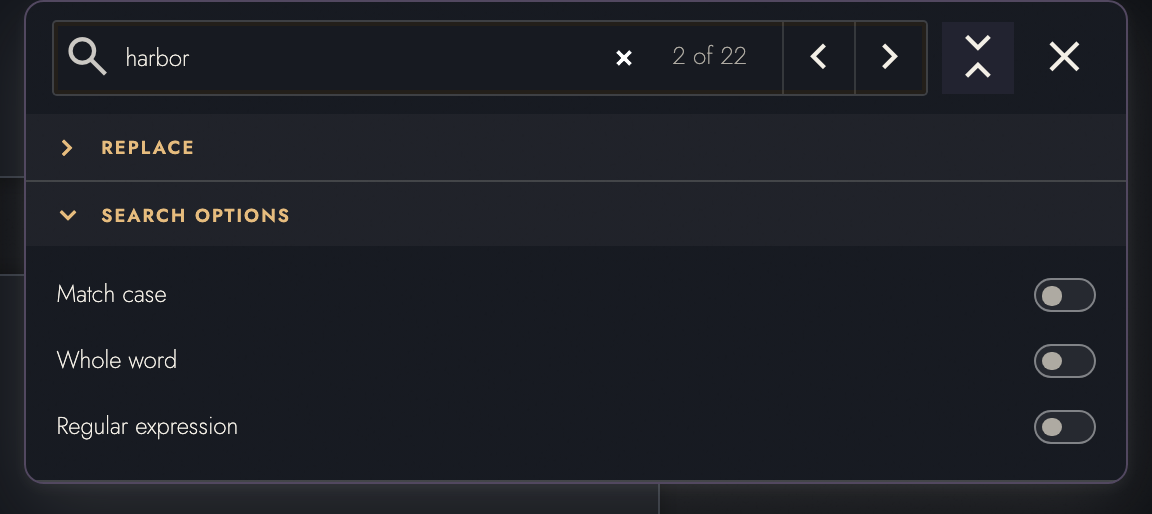
Run a thread from the first book to the last.
Mara’s investigation starts in The Missing Harbor and is not settled until the third book. Its timeline runs the length of the series, under a row that shows where each book begins and ends.
A promise made in volume one and kept in volume three is two markers on one lane, and you can see the distance between them.
The timeline drawer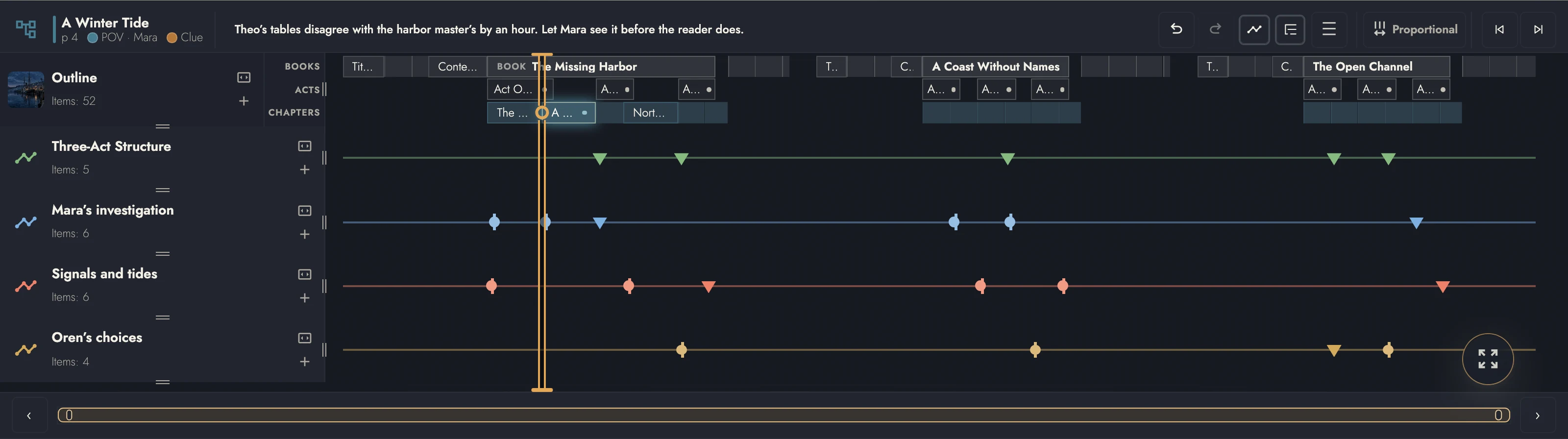
Give each book its own front and back matter.
A title page and a dedication belong to the book that holds them, and so does its contents page. Each volume keeps its own page numbering.
Export one book for a retailer, or the whole series as one file for your own shelf.
Book matter in the Guide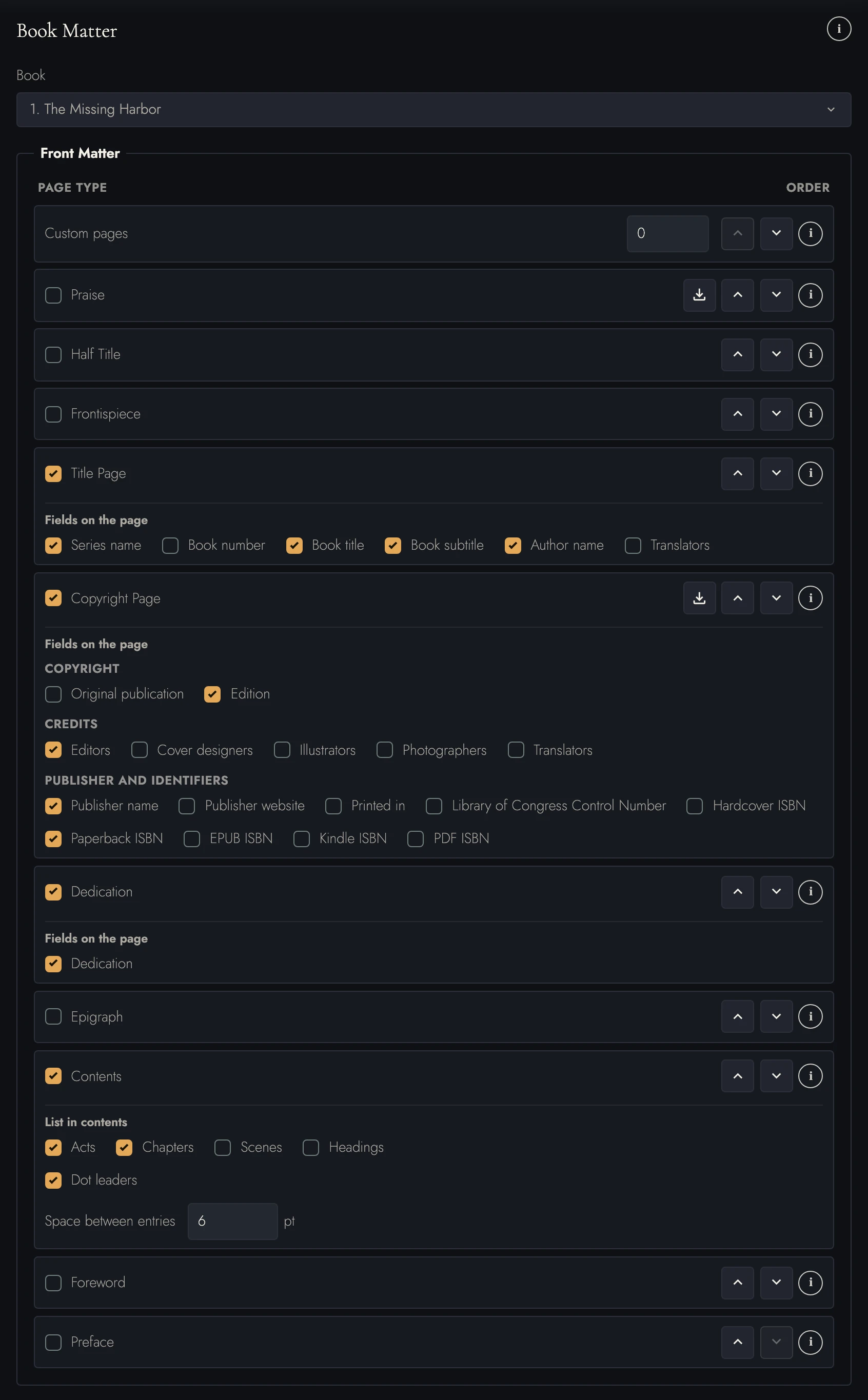
Bring your own work to the page.
Start a project or import a manuscript you already have. The Guide is there when you need the steps for a particular task.
Take another tour.
- Overview → One revision of a novel series, from draft to reading edition.
- Novels → Timelines for every thread, story structures, and alternative openings.
- Nonfiction → An argument built chapter by chapter, with its sources kept attached.
- Screenplays → An imported short, a dialogue pass, and a script ready for the next app.
- Articles → An essay from the article starter to a second try at its lede.
- Editors → A review from the Editor’s side, then back to the author.
- Switching apps → Bringing a Scrivener project across, structure and all.