Build the argument. Keep the evidence.
One translation calls it kindness. Another calls it mercy. Follow Morgan Vale as More Than Kindness asks what the Hebrew word hesed means in the Book of Ruth.
Make each chapter earn its claim.
More Than Kindness asks what one Hebrew word means in the Book of Ruth. The King James Version translates hesed as kindness, and the Septuagint translates it as mercy. Morgan starts from the suspicion that neither is enough.
Keep the plan close. The outline sits beside the page, one chapter for each time the word appears, so Morgan can go from a quoted verse to the chapter that reads it and on to the one that sets a limit on the conclusion.
Organize chapters in the Guide
Leave a trail back to the text.
A quotation needs more than quotation marks. The reader wants the verse, the translation, and what the original says underneath it.
Keep the qualification. A numbered footnote stays with its verse however the pages reflow, and Morgan edits it right there on the page. Footnote 3 records that the Hebrew of Ruth 2:20 lets “his kindness” belong either to God or to Boaz.
How footnotes work
Follow one word through every chapter that reads it.
Hesed comes up three times in Ruth: on the road from Moab, after a day in the barley field, and on the threshing floor. The last chapter narrows Morgan’s claim to what those three passages can carry.
A timeline named for the word ties them together. Each anchor sits on the sentence that does the reading, and one carries a note about the ambiguous “his.” After a revision, checking that the argument still holds means reading five passages, not the whole book.
Timelines in the Guide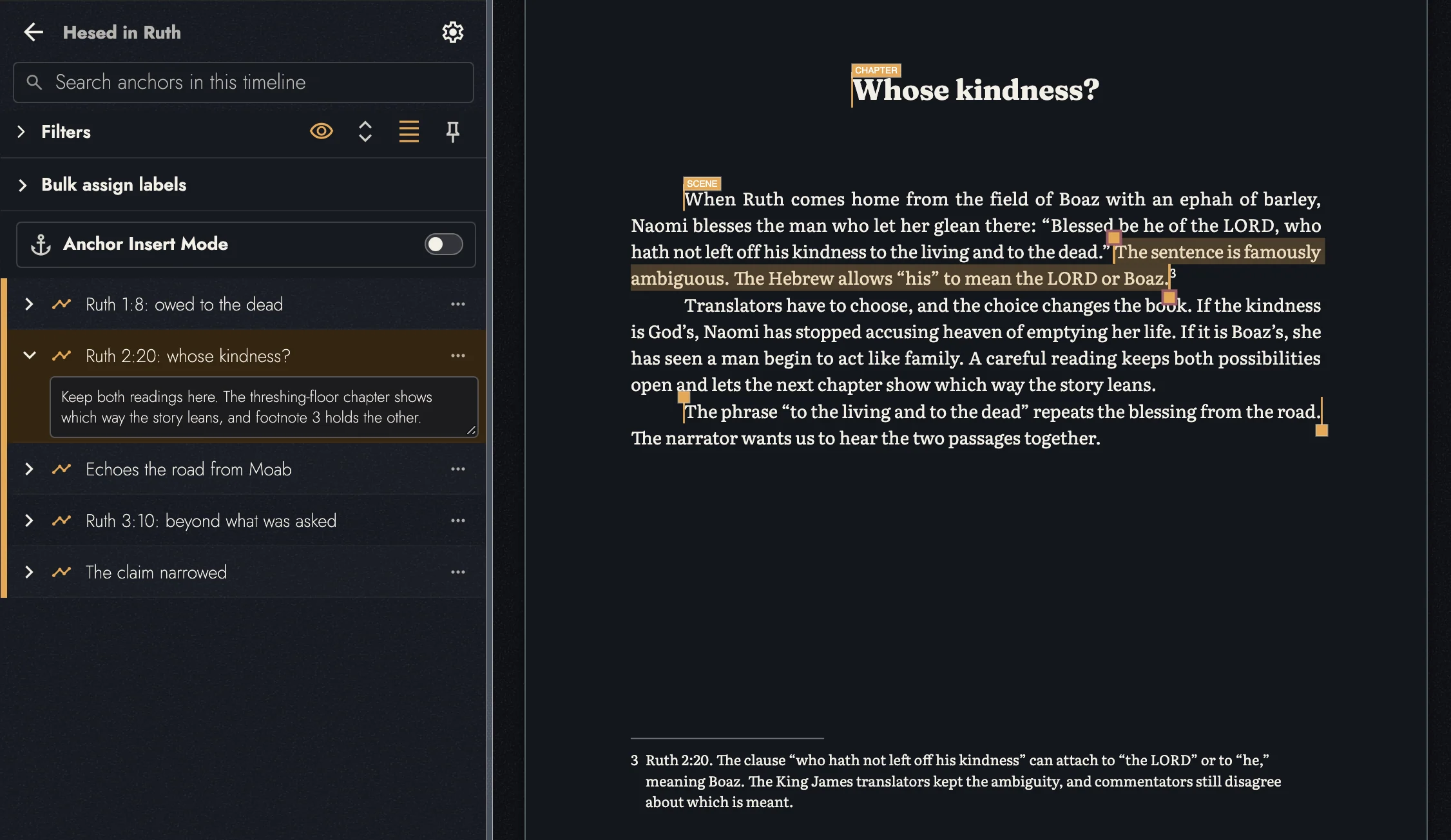
Give each source a card of its own.
The Hebrew text has a Sheet. So do the King James Version and the Septuagint, each saying which edition the book quotes and how its translators handled the word.
They stay in the right panel while you write. That is usually where the question of whose translation to quote comes up.
Sheets in the Guide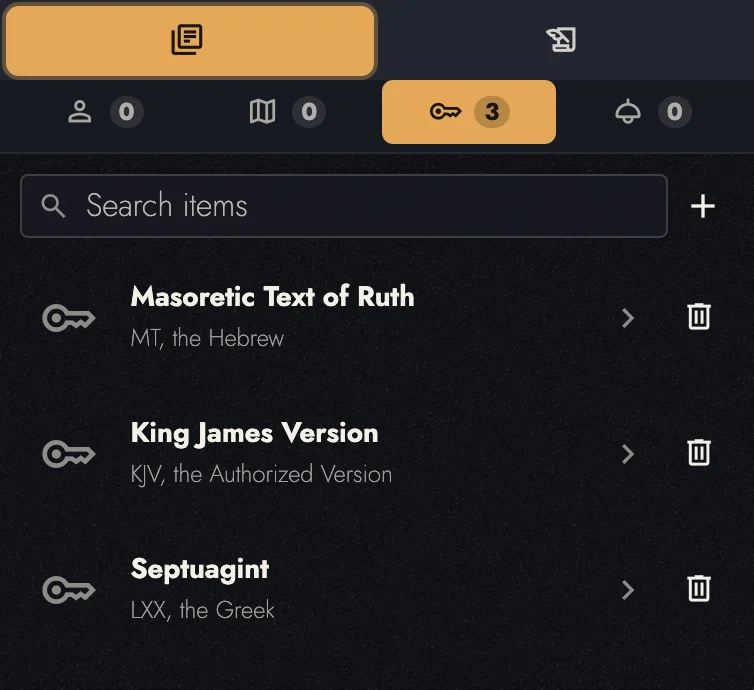
Work one chapter at a time.
Narrow the working scope to the chapter in front of you. The page, search, and word count all stop at its edges, so a search for “kindness” finds this chapter’s uses and none of the introduction’s.
Widen it again for a read of the whole argument.
Working scope in the Guide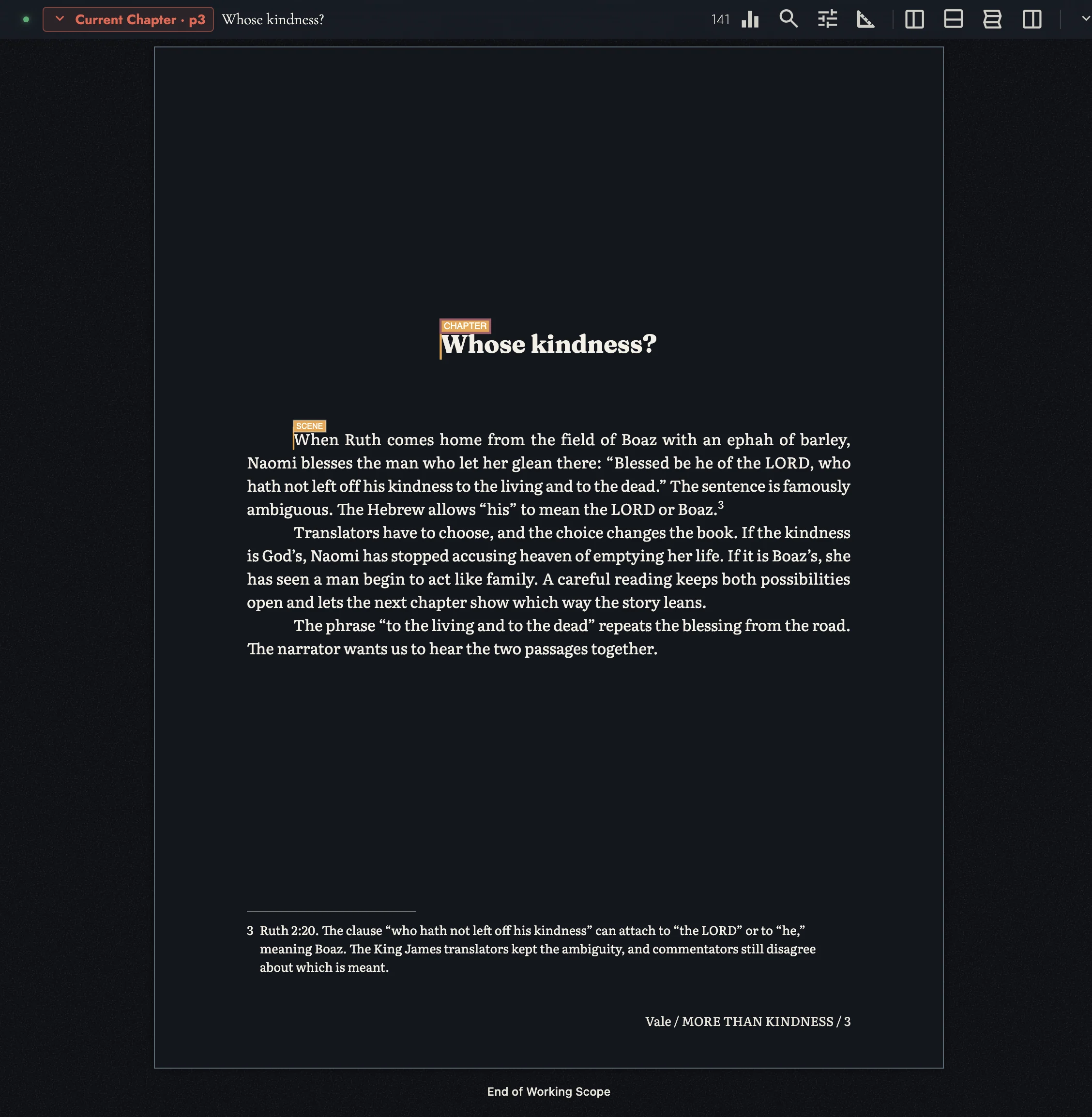
Send the argument with its notes.
An Editor who works in Word can receive a DOCX of the manuscript with real Word footnotes, so every verse reference arrives attached to the sentence it supports.
Choose one book or the whole manuscript. Keep a project archive separately when you also want the planning material and drafts.
Choose an export format
Bring your own work to the page.
Start a project or import a manuscript you already have. The Guide is there when you need the steps for a particular task.
Take another tour.
- Overview → One revision of a novel series, from draft to reading edition.
- Novels → Timelines for every thread, story structures, and alternative openings.
- Screenplays → An imported short, a dialogue pass, and a script ready for the next app.
- Articles → An essay from the article starter to a second try at its lede.
- Series → Several books in one manuscript, each with its own matter.
- Editors → A review from the Editor’s side, then back to the author.
- Switching apps → Bringing a Scrivener project across, structure and all.