Your author sees the designed page long before the proof.
For hybrid publishers and author-services firms. Your editors work on a manuscript the firm controls, set as the finished book, and the client author reads every round of edits on those pages instead of in a Word file.
Book a 20-minute walkthrough What it costs
One client chapter, from edit to approval
Follow one chapter through a firm. Halyard House is an invented hybrid publisher and Slack Water an invented memoir, and the people are made up too. Ruth Akintola spent thirty years bringing ships into a river port, and Halyard is publishing her book. Theo Marsh is her editor. Nadia Brennan, a project manager, keeps Ruth’s book on schedule alongside the rest of Halyard’s list.
Start from the file Ruth delivered.
Ruth wrote Slack Water in Word, like most clients. Theo imports it into Halyard House’s account, and her chapters arrive as a book with her name on the title page. Tracked changes come in resolved, and Tabularia reports how it settled them. Comments pinned to a clear spot in the text come along as notes.
Choose the interior now. Theo sets the trim size and how each chapter opens before his edit begins, so every round of review happens on the page that will print. Ruth won’t meet her book’s design for the first time on the proof.
What a Word file brings with it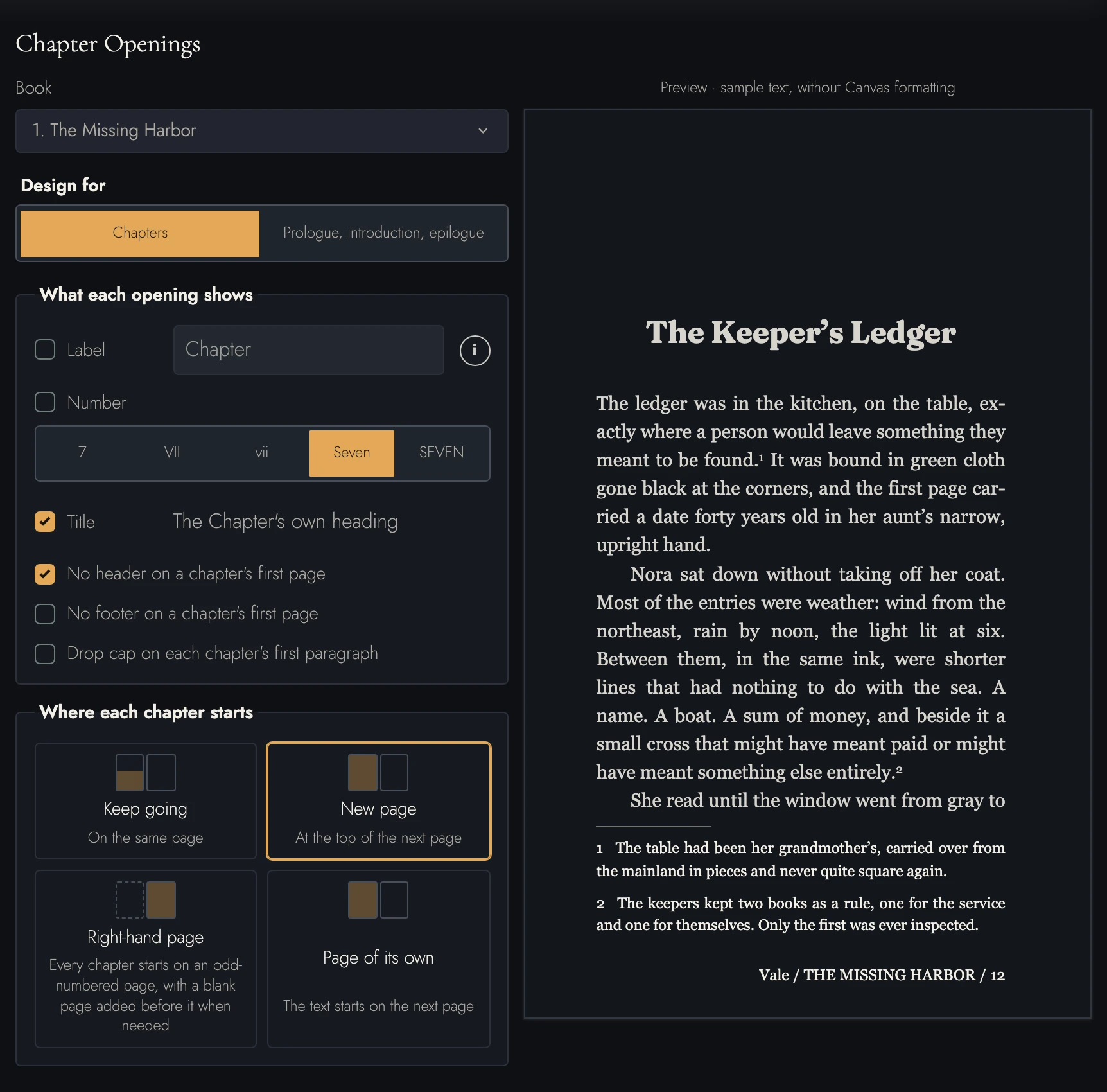
Send Ruth her edited chapter, on terms you set.
Theo finishes his line edit of the first chapter and invites Ruth to review it. Tabularia calls that role Editor, which reads oddly when Theo is the editor, but all it lets Ruth do is propose. She signs up free with the address Theo used, and the book opens in her browser.
An unpublished client book shouldn’t wander. Theo’s invitation runs out at the end of November. It also holds copying to three paragraphs at a time and keeps export switched off.
What each review role can do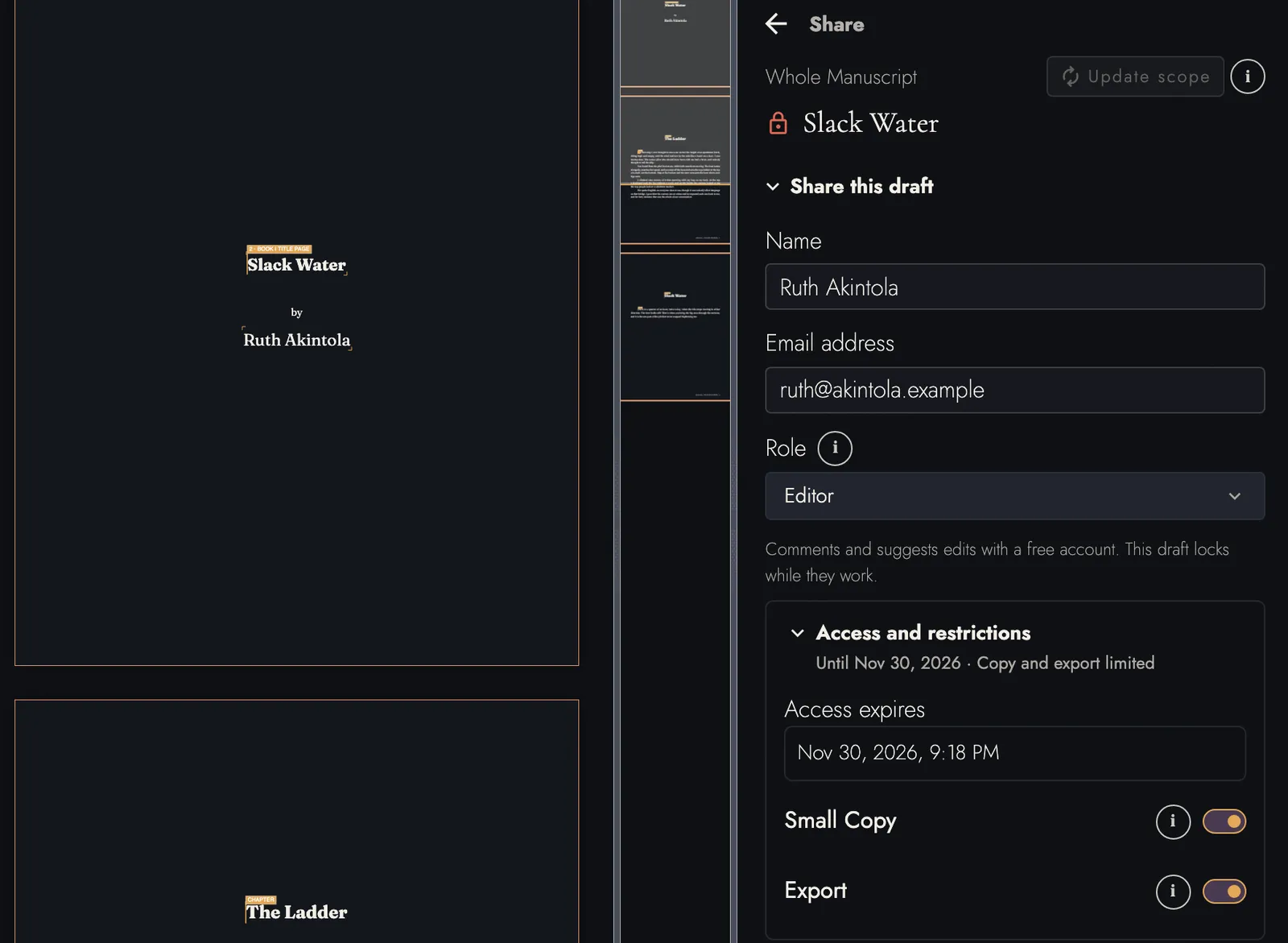
Ruth puts her own words back.
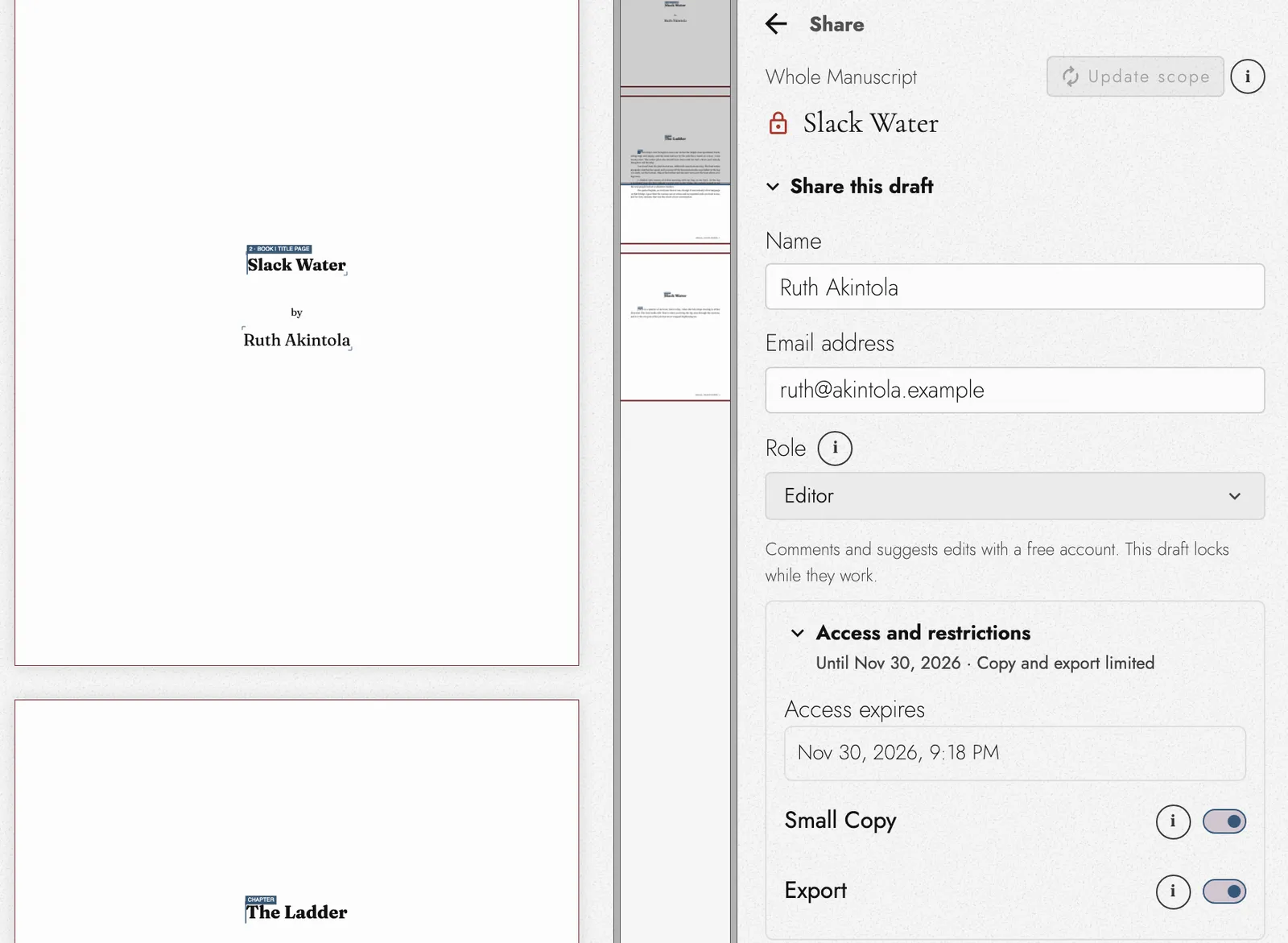
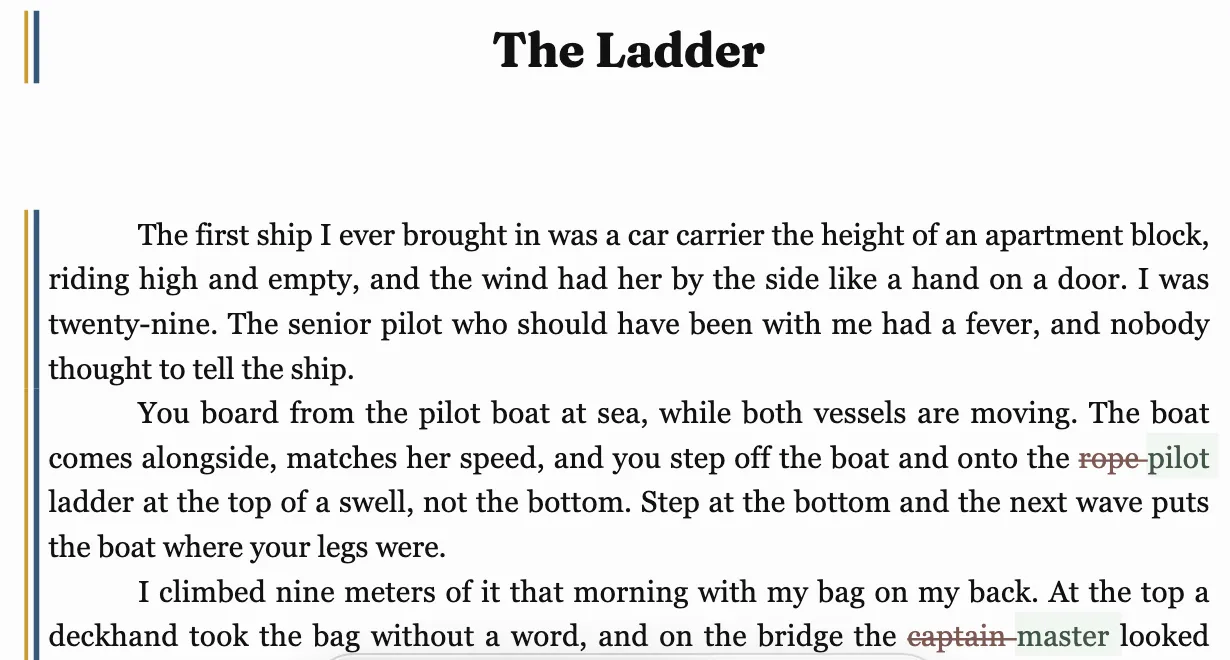
Theo smoothed two terms he thought a general reader might trip on. Ruth wants them back. You board a ship by the pilot ladder, not a rope ladder, and the person in command of a merchant ship is its master, whatever the films say. She types each one over his on the typeset page.
None of it touches Halyard’s manuscript yet. Ruth is working in a draft that belongs to her review, and when she has finished she submits it back to Theo.
How Markup shows a change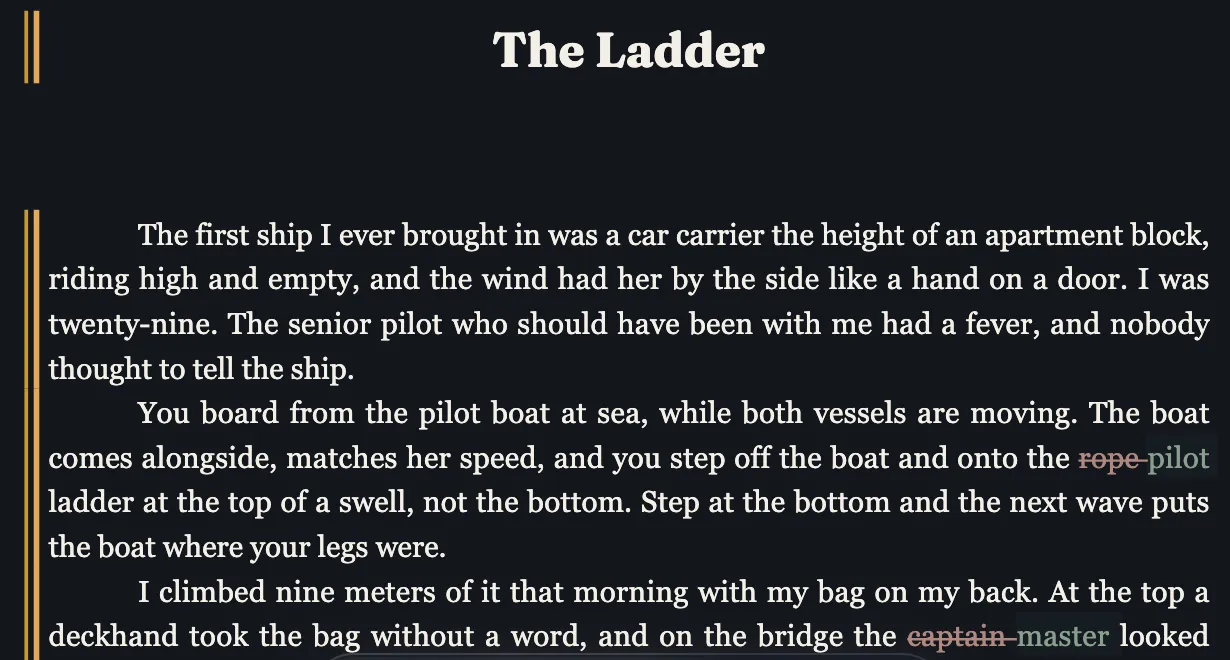
Theo decides what stays.
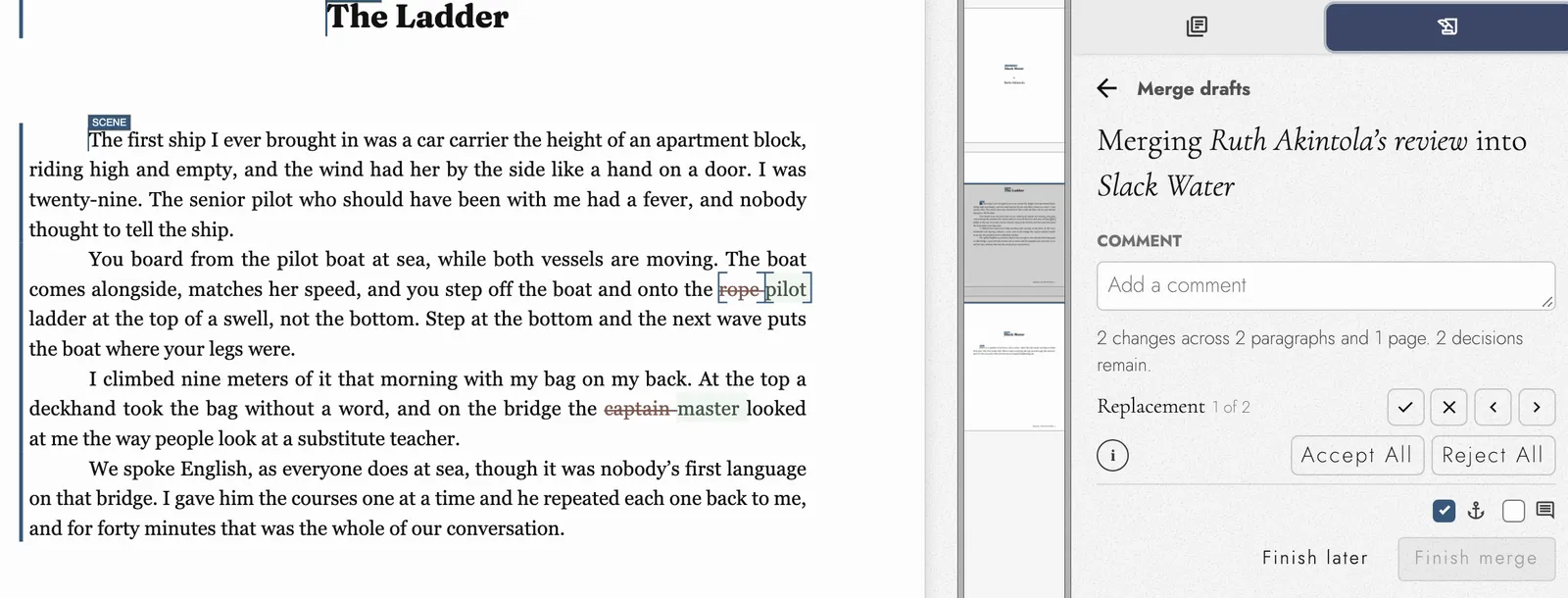
Ruth’s review is waiting when Theo next opens the book. He steps through it with each change marked where it sits, and takes both. Had she rewritten a sentence he’d argued for, he could turn that one down and keep the rest.
Nobody retypes an author’s corrections from an email. There’s no fourth Word file named FINAL, either, and the manuscript Nadia checks on Monday already has Ruth’s terms in it.
Accept or reject a review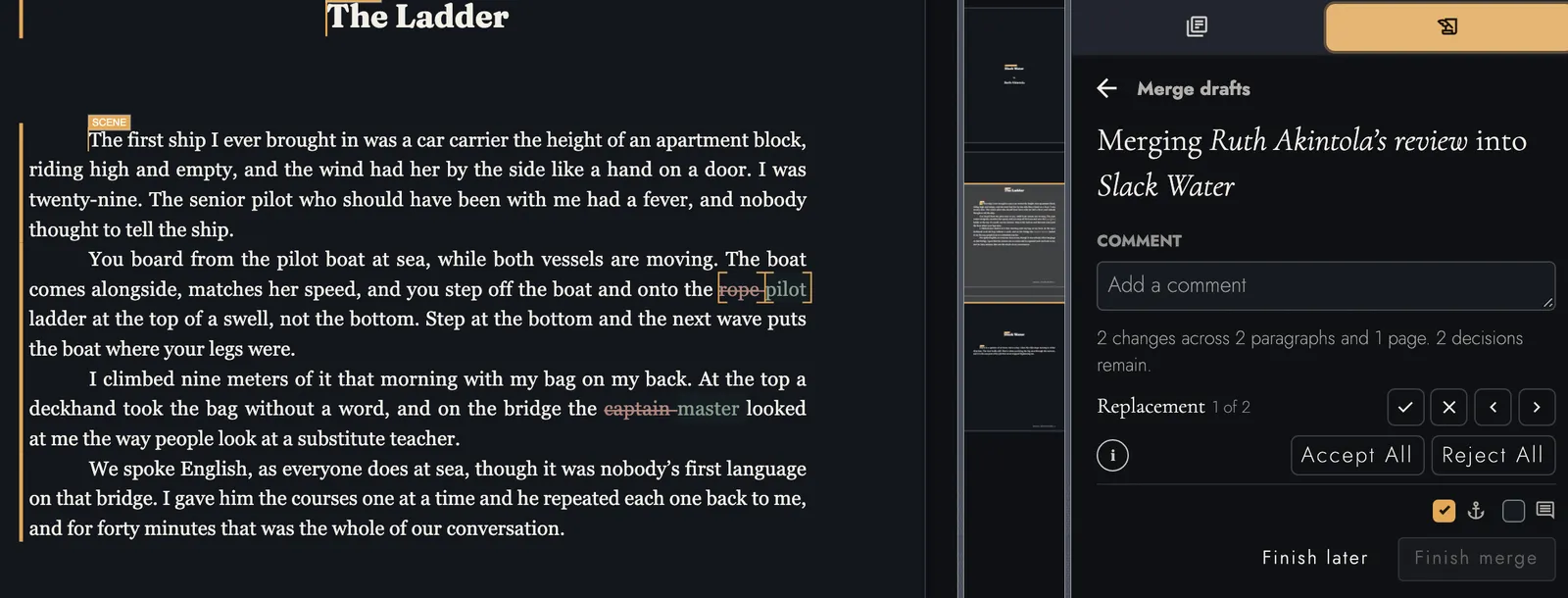
Every client book, and who holds it
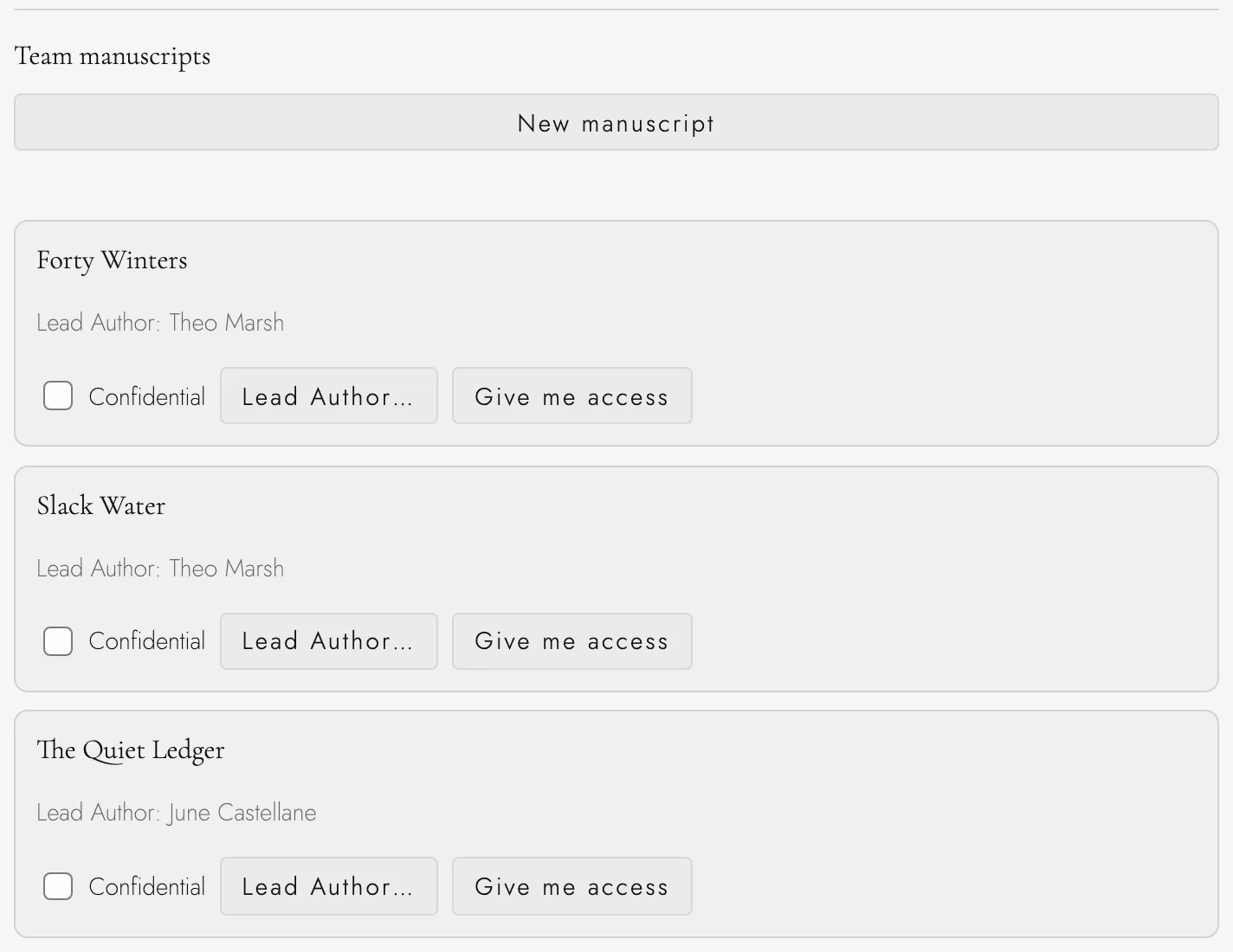
Nadia doesn’t edit, but she answers for every book on Halyard’s list. The team page shows her each one with the editor leading it. If Theo goes on leave halfway through Slack Water, she makes June Castellane its Lead Author, and the book keeps its drafts, its snapshots, and every review Ruth has sent back.
A seat on Halyard’s team is not a key to every client’s book. Editors open the books they’re given, a book marked confidential stays shut to the team’s default groups, and each grant of access is written to the team’s audit history.
When Slack Water is done, it leaves the way your production side already expects it. Export a Word file for your formatting team, an EPUB, or a PDF laid out to KDP’s or IngramSpark’s page and margin rules. Tabularia doesn’t connect to any distributor, so someone at Halyard still does the upload.
Questions you’ll have
Where does this sit next to our own formatting and distribution?
Ahead of both. Tabularia is where the book is written, edited, and approved by its author. When it’s ready, you export the files your designers or your distributor take, and they go wherever you send books now. Nothing uploads itself, because there is no direct link to any distributor. Print-ready PDFs for KDP and IngramSpark.
Does the author pay, or approve edits on their own?
They pay nothing, and they can’t accept anything. An author joins free with the address you invited and proposes changes on the page. Taking or refusing them is up to your editor, or whoever on your team writes the book, so nothing reaches the manuscript without someone at the firm deciding it should.
Can we publish a client’s book to the web from Tabularia?
Not from a team account. Tabularia has a public reading page for a writer’s own manuscripts, but a manuscript your team owns can’t be published there. For a firm it’s the place a book gets edited and set, and publishing goes through your usual channels.
Who owns a client’s book once it’s in your account?
Your team controls the working file: who opens it, who changes it, and whether it can be shared or exported. That control has nothing to do with copyright. The author’s rights are whatever your contract with them says, and their name stays on the title page.
A pilot first, then seats
I’m Allen, and I built Tabularia. I set up each team by hand. Choose one client book that’s in editing right now and we’ll run it in Tabularia together for 14 days, at no charge, with the people who already work on it.
After the pilot, a seat is $35 a month on a yearly plan or $40 month to month, from 3 seats. Seats are for the people who write and edit. A client, an author, or any other outside reviewer joins as a guest and pays nothing.
If you’d rather recommend Tabularia than buy seats, the Partners program gives the writers you send 20% off their first year and pays you 30% of what they pay for 12 months.
Book a 20-minute walkthrough How team accounts work Every plan and price